The Laptop Size Lie You Are Telling Yourself
Most people buy laptops based on fantasy.
You imagine yourself editing 8K video on a beach. You imagine yourself needing three windows open side-by-side while you code the next Facebook.
So you buy the 17-inch beast.
Then reality hits.
It’s heavy. It doesn’t fit in your bag. The battery dies in 40 minutes. You stop taking it with you. Your output drops to zero.
You bought a desktop that folds. That was a bad investment.
Or you go the other way. You buy the tiny 13-inch because it looks cute in the store. Then you realize you can’t read your own spreadsheets without squinting. Your neck hurts. You work slower. You lose money.
The screen size isn’t about preference. It is about use case.
It is about ROI (Return on Investment). If the laptop facilitates work, you make money. If the laptop creates friction, you lose money.
I am going to break down the math of 14-inch vs 15.6-inch vs 17-inch. I will tell you exactly which one to buy so you can stop researching and start working.

The Math of “Friction vs. Output”
Before we talk about inches, we need to talk about friction.
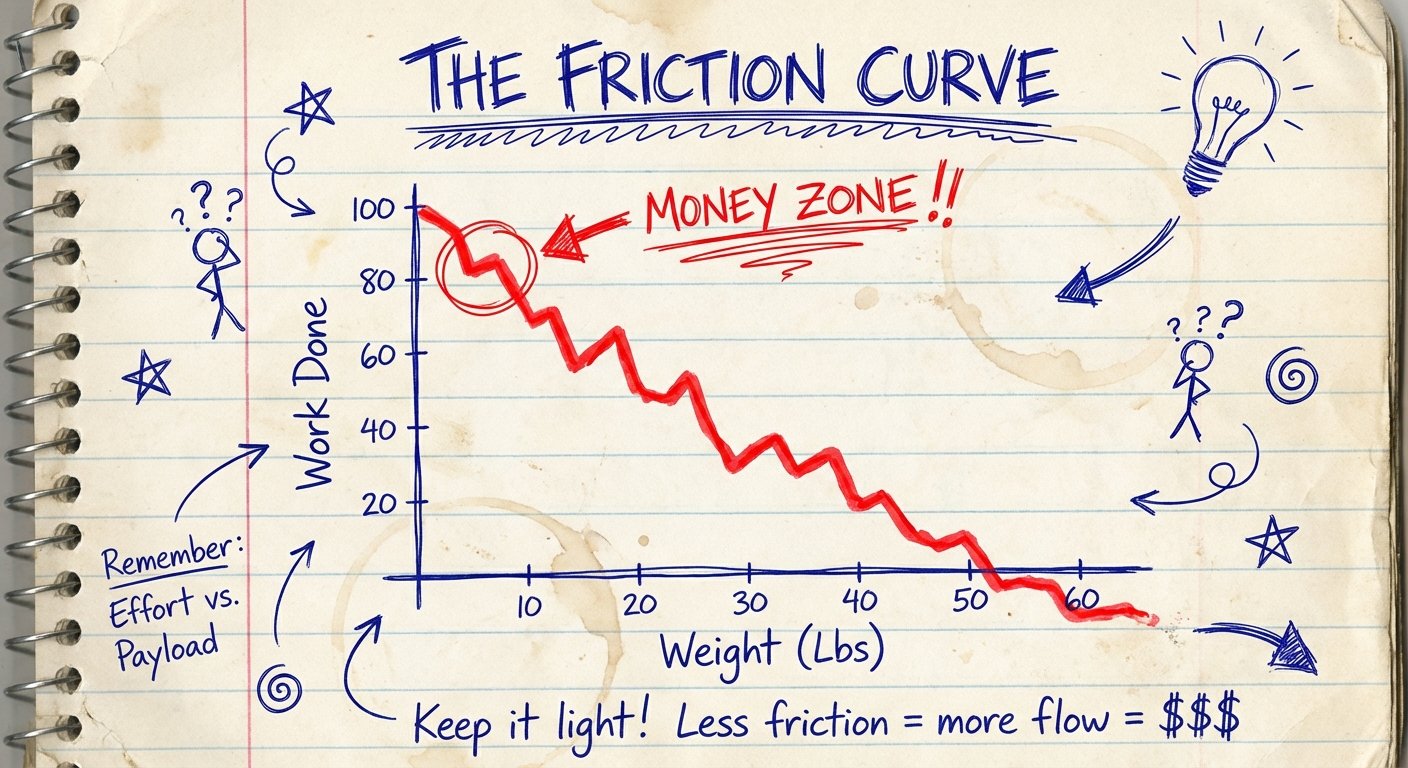
There is a direct correlation between the weight of your bag and how often you bring your laptop with you.
If your laptop weighs 6 pounds, you will subconsciously find reasons to leave it at home. You will say, “I’ll just check emails on my phone.”
That is a lie. You won’t do real work on your phone. You will scroll Instagram.
The Equation:
- High Mobility + Low Weight = More Reps (More opportunities to work).
- High Screen Real Estate + Heavy Weight = Higher Output per Hour (but fewer hours logged remotely).
You need to decide where you make your money.
Do you make money by closing deals in coffee shops and airports? Or do you make money by staring at complex timelines in a dark room for 12 hours straight?
Stop buying for the “what if.” Buy for the “what is.”
14-Inch: The Sniper Rifle (Speed & Volume)
This is for the executors.
The 14-inch form factor is the king of ROI for 90% of entrepreneurs and students. Why? Because it fits on an airplane tray table.
If you fly economy, a 15.6-inch or 17-inch laptop is unusable when the person in front of you reclines. The 14-inch fits.
If you work in crowded cities, the 14-inch fits on the small wobbly tables at Starbucks.
Who is this for?
- Writers / Copywriters: You don’t need pixels; you need words.
- Salespeople: You are presenting, not designing.
- Coders (Backend): Text is text. You don’t need 4K for lines of code.
- Travelers: Every ounce matters when you are running through a terminal.
The Product: Apple MacBook Pro 14 (M3 Pro/Max)
This is the gold standard. I don’t care if you hate Apple. The build quality and battery life reduce friction. You open it, it works.
Price: $1,900 – $2,400
The Win: The battery lasts all day. The screen is incredible (XDR). It is fast enough to edit video, but small enough to carry with one hand.
The Trade-off: It is expensive. You pay a “Apple Tax.” The screen can feel cramped if you try to split-screen two complex apps.
The Product: ASUS ROG Zephyrus G14 (2024)
If you refuse to use a Mac, this is the Windows alternative. It is sleek, powerful, and has an OLED screen.
Price: $1,500 – $1,800
The Win: It has a dedicated graphics card (RTX 4060/4070). You can game on it. You can render 3D on it. It weighs almost nothing (3.3 lbs).
The Trade-off: Battery life is worse than the Mac. It runs hotter. The fans can get loud if you push it.

15.6-Inch vs. 16-Inch: The Workhorse (The Sweet Spot)
Industry shift alert: 15.6-inch is dying. 16-inch is taking over.
Why? Aspect ratio. The new 16-inch laptops have a 16:10 ratio. That means they are taller. You get more vertical space. This is crucial for reading documents and code.
This size is the balance. It fits in most backpacks, but it is heavy enough that you will feel it after 20 minutes of walking.
Who is this for?
- Video Editors: You need timeline space.
- UI/UX Designers: You need to see the canvas and the tools.
- Data Analysts: You need giant spreadsheets.
- Hybrid Workers: You work from home 3 days, office 2 days. You don’t move much in between.
The Product: Dell XPS 16
Windows users, this is your flagship. It looks like a spaceship.
Price: $2,000 – $3,000
The Win: The screen is gorgeous (OLED option). The keyboard is flush. It feels premium. It is powerful enough to replace a desktop.
The Trade-off: The “touch function row” instead of physical keys is controversial. It is heavy. It is very expensive for a Windows machine.
The Product: MacBook Pro 16 (M3 Max)
If you are a creative professional making money with your laptop, this is the tool. Period.
Price: $2,500 – $3,500
The Win: Unmatched power. You can edit multiple streams of 8K video on battery power. The speakers are the best in the industry. The resale value holds up.
The Trade-off: It is a brick. It weighs nearly 5 pounds. It does not fit comfortably on an economy tray table. You will need a bigger backpack.
17-Inch (and 18-Inch): The Desktop Anchor
Let’s be honest. This is not a laptop.
This is a portable All-in-One PC. If you buy this, you are admitting that you rarely move.
These laptops often require two power bricks. They weigh 7 to 9 pounds. They do not fit in standard backpacks.
But, if you are a specialized power user, the ROI is there because of thermal management. Bigger chassis = better airflow = less throttling.
Who is this for?
- Hardcore Gamers: You want desktop performance at a hotel.
- 3D Animators / Architects: You need massive GPU power and a huge viewport.
- People who drive everywhere: You walk from the car to the desk. That is it.
The Product: Razer Blade 18
They moved from 17 to 18 inches. It’s massive. It’s a monster.
Price: $3,000 – $4,500
The Win: Desktop-class graphics (RTX 4090). 240Hz screen. It is the fastest laptop money can buy.
The Trade-off: The battery life is a joke (maybe 2 hours if lucky). It is extremely heavy. It runs hot. It costs as much as a used car.
The Backpack Test (Don’t Be Stupid)
Here is a mistake I see smart people make.
They spend $3,000 on a laptop and put it in a free backpack they got at a conference.
Or they buy a 17-inch laptop and try to jam it into a 20L “daypack.” It stretches the zippers. It hits the ground when you set the bag down. You break your investment.
If you go 14-inch, you can use any bag. You can use a sling. You are agile.
If you go 16-inch, you need a dedicated laptop compartment with a false bottom (so the laptop doesn’t hit the floor).
If you go 17/18-inch, you need a travel backpack (30L+). You are now carrying luggage, not a backpack.

The Final Verdict: What Is Your ROI?
Decision making is about removing options.
Here is your cheat sheet:
- Do you travel 2+ times a month? Get the 14-inch. The screen real estate loss is worth the mobility gain. You will work more often because it is easy to start.
- Do you stare at Premiere Pro or After Effects for 6 hours a day? Get the 16-inch. The extra pixels translate directly to speed in your workflow.
- Are you a gamer or architect who never gets on a plane? Get the 18-inch. Enjoy the power. Just don’t complain about your back.
Don’t buy for your ego. Buy for your wallet.
Pick the size that removes the friction from your work. Then get to work.