The Math Behind Your Neck Pain: Why You Need a Laptop Stand
You think you have a focus problem. You don’t.
You have a posture problem.
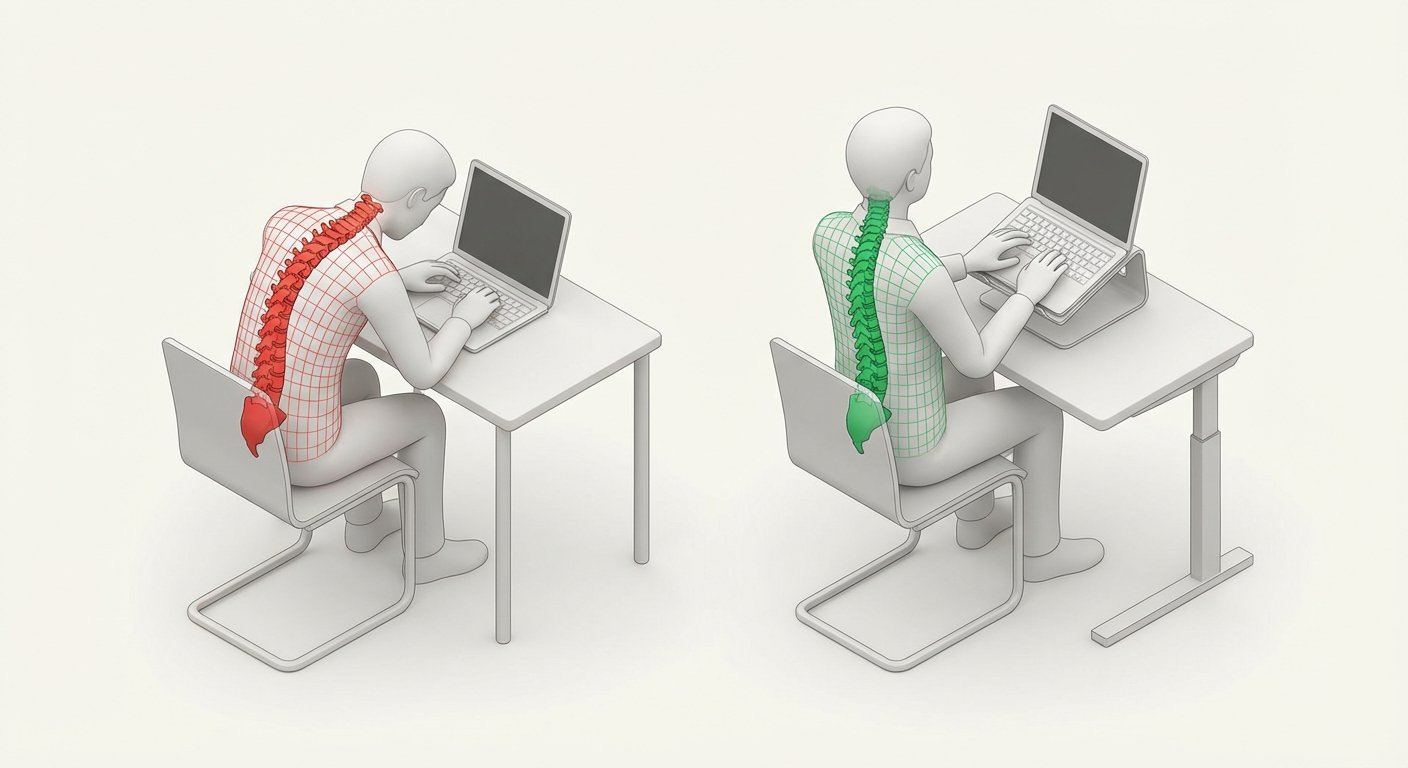
If you are a digital nomad, your laptop is your money printing machine. You spend 8 to 12 hours a day staring at it. If you stare at it looking down, your neck supports 60 pounds of force. That is the weight of an 8-year-old child sitting on your neck. All day.
Eventually, you get a headache. You get tired. You stop working. You lose money.
The solution is simple. Elevate the screen. Keep your head up. Work longer. Make more money.
But most laptop stands suck. They are heavy. They are bulky. They break.
I have tested everything. I travel. I work. I don’t carry trash in my bag.
Here are the only lightweight laptop stands worth your time.

The Criteria: What Actually Matters
Ignore the marketing fluff. Ignore “aircraft-grade aluminum” if it weighs 2 pounds. You only care about three things.
- Weight: If it is heavy, you will leave it at the Airbnb. If you leave it, it is useless. It needs to be under 10 ounces.
- Height: It needs to get the screen to eye level. If it only lifts 2 inches, it is a coaster, not a stand.
- Speed: Setup time. If it takes 2 minutes to assemble, you won’t use it for a quick email. It needs to open in 5 seconds.
1. The Roost V3: The Gold Standard
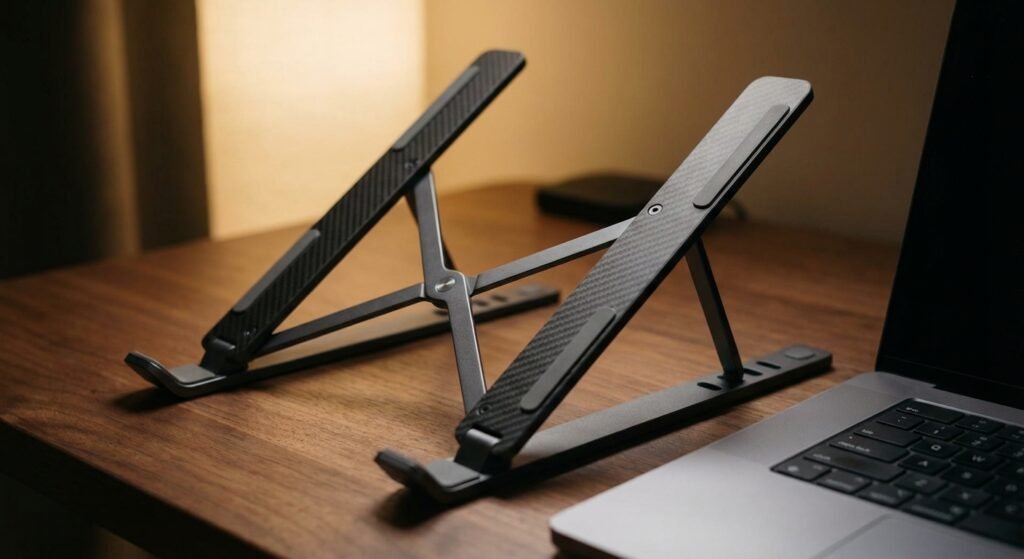
This is the one I use. It is the best. Period.
It costs more than the others. People complain about the price. Those people are bad at math.
The Roost V3 weighs 5.8 ounces. That is lighter than your iPhone 14 Pro. It collapses into a stick. You put it in your bag and forget it exists.
The Specs:
- Weight: 5.8 oz (164g)
- Height Range: 6 to 14 inches
- Material: Glass-fiber reinforced nylon
It adjusts higher than almost anything else. If you are tall (over 6 feet), this is the only real option. The build quality is insane. You can drop it. You can step on it. It does not break.
The Trade-off: It feels like plastic. Because it is high-tech plastic. It doesn’t feel “premium” like cold metal. But metal is heavy. Plastic is light. Light wins.
Price: $85 – $95
2. The Nexstand K2: The Budget Clone
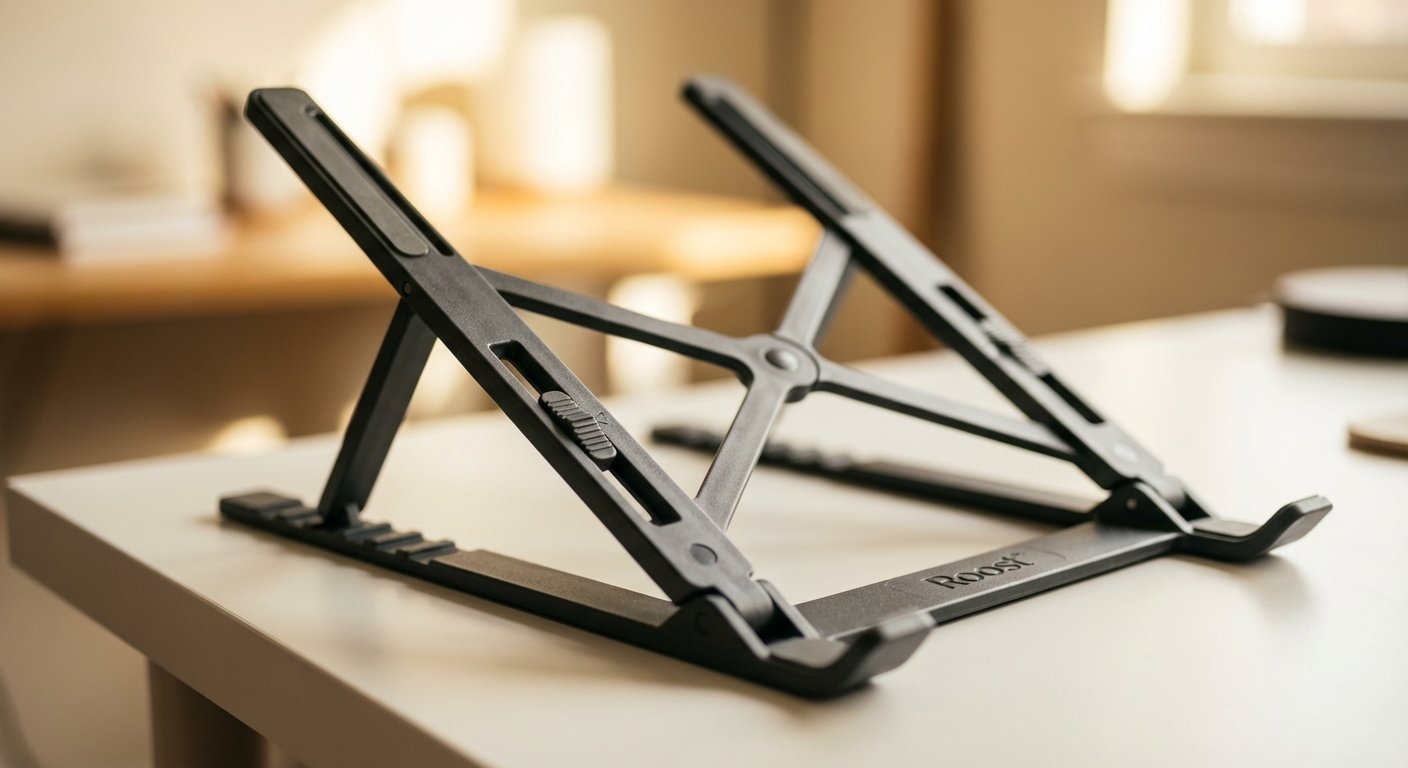
You want the Roost but you don’t want to spend nearly $100. Buy the Nexstand K2.
It is a knock-off. But it is a very good knock-off.
It works exactly the same way. It uses gravity and leverage to hold the laptop. It is stable.
The Difference:
- It is heavier (8 oz vs 5.8 oz).
- It is bulkier. When folded, it is thicker.
- The mechanism is stiffer. It takes more force to open.
For 90% of people, this is good enough. It gets the job done. It saves you $50.
But realize this: You carry this thing every single day. Over a year, that extra bulk adds up. I pay for the saved ounces. You might not care.
Price: $30 – $40
3. MOFT Invisible Laptop Stand: The Minimalist
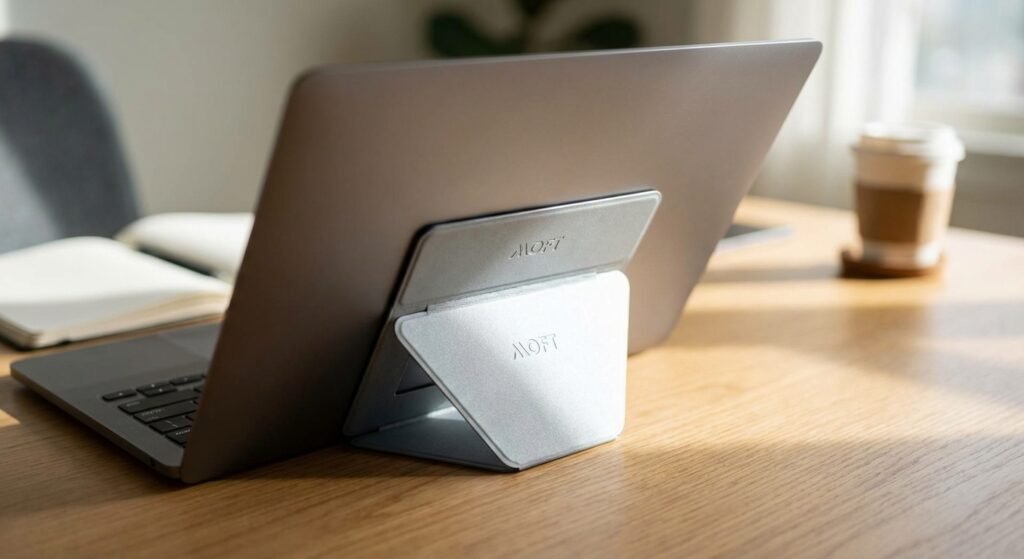
This is for the person who hates carrying things.
The MOFT stand is an adhesive sheet. You stick it to the bottom of your laptop. It lives there. You never forget it because it is physically attached to your computer.
It folds out like origami. It lifts the laptop up about 2 or 3 inches.
The Problem: It is not high enough for true ergonomic perfection. You are still looking down. Just less down.
The Benefit: Friction is zero. You don’t have to pack it. You don’t have to unpack it. It is always there.
If you work in short bursts—cafes, airport lounges, park benches—this wins. If you work 8-hour deep work sessions, this will not save your neck.
Price: $25 – $30
4. Twelve South Curve Flex: The Aesthetic Choice
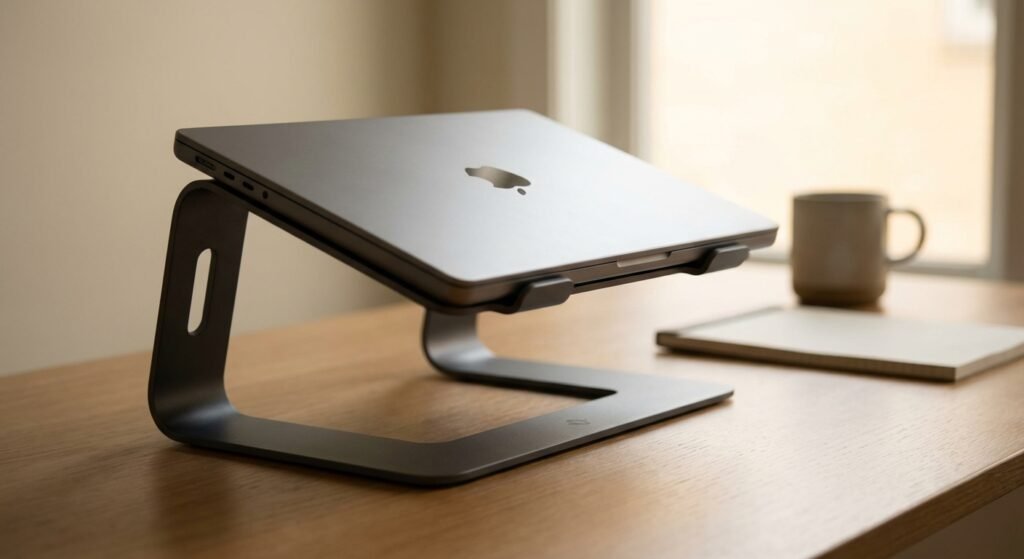
Maybe you aren’t backpacking. Maybe you stay in one city for 3 months. You care about how your desk looks.
The Twelve South Curve Flex is aluminum. It looks like something Apple made. It is beautiful. It comes in matte black or white.
It folds flat, but it is a flat slab. It does not turn into a stick. It takes up significant surface area in your bag.
The Specs:
- Weight: 28 oz (That is almost 2 pounds. Heavy.)
- Height: Up to 22 inches (Very high).
I do not carry this daily. I would only buy this if I was setting up a semi-permanent home office and wanted it to look professional on Zoom calls. For a true nomad moving every week? It’s a brick.
Price: $70 – $80
5. The Generic Aluminum Foldables

Go on Amazon. Type “Laptop Stand.” You will see 5,000 versions of the same aluminum scissor-stand. They cost $15.
Are they good?
No.
They rattle. The rubber pads fall off after two weeks. They scratch your laptop. They weigh about 10 to 12 ounces.
However, they are metal. They are cheap. If you lose it, you don’t cry. If you are on a strict budget (eating ramen to fund your startup), buy one of these. It is better than nothing.
But don’t expect it to last. You buy cheap, you buy twice.
Price: $10 – $20
The External Keyboard Requirement
Listen to me closely.
You cannot use a laptop stand without an external keyboard and mouse.
If you put your laptop on a stand and try to type on the built-in keyboard, your arms will be in the air. You will look like a T-Rex. You will destroy your shoulders.
To use a stand, you need the kit:
- The Stand.
- The Keyboard (I use the Logitech Keys-to-Go for travel or the NuPhy Air75 for mechanical feel).
- The Mouse (Logitech MX Anywhere 3).
Yes, it is more gear. Yes, it takes up space. But this is your profession. A carpenter brings his saw. You bring your peripherals.
The ROI of a $90 Stand
Let’s do the math.
A Roost stand is roughly $90.
A cheap stand is $20.
The difference is $70.
If the cheap stand wobbles, annoys you, or is too heavy to carry, you won’t use it. You will slouch.
One visit to a chiropractor costs $60 to $100.
One day of lost productivity due to a tension headache costs you hundreds, maybe thousands, in potential revenue.
The $90 stand pays for itself if it prevents one headache in the next 5 years. It pays for itself if it saves you one trip to the doctor.
Don’t be penny wise and pound foolish.
Conclusion: Just Buy One
If you have the cash, get the Roost V3. It is the best engineering on the market.
If you are on a budget, get the Nexstand K2. It is 80% of the value for 40% of the price.
If you work in 15-minute bursts, get the MOFT.
Stop looking down. Fix your neck. Get to work.