The Mathematics of Ruin: Why You Are Risking $5,000 to Save $20
You are running a business. Or you are freelancing. Or you are trading crypto. It doesn’t matter.
What matters is your hardware. Your laptop. Your camera. Your phone.
These are not “gadgets.” These are capital assets. They are the machines that print your money.
If you have a $2,500 MacBook Pro and a $1,200 iPad, you are carrying $3,700 of inventory in your backpack. That is the cost of replacement.
But that is not the real cost.
If you are in an Airbnb in Mexico City, or a hostel in Bali, or a coffee shop in Tbilisi, and the wiring is garbage—which it usually is—and a power surge hits, your machine fries.
Now, calculate the downtime.
It takes you 3 days to find an Apple Store. It takes 2 days to get the repair or replacement. That is 5 days of zero output.
If your time is worth $500 a day, you just lost $2,500 in revenue. Plus the $3,700 for the gear.
Total cost of failure: $6,200.
Most people plug their $6,200 liability into the wall using a $5 plastic adapter they bought at the airport gift shop. This is stupid. It is asymmetric risk in the wrong direction.
You are risking 100% of your upside to save $40 on a surge protector. That is bad business.
Today, we look at the only travel surge protectors worth buying. We look at ROI. We look at specs. We ignore the cheap plastic garbage.

The Criteria: How to Spot “Fake” Protection
Most things labeled “surge protector” on Amazon are lies. They are just power strips. A power strip just adds outlets. It does not protect you.
To actually protect your asset, you need three things.
1. Clamping Voltage (The Shield)
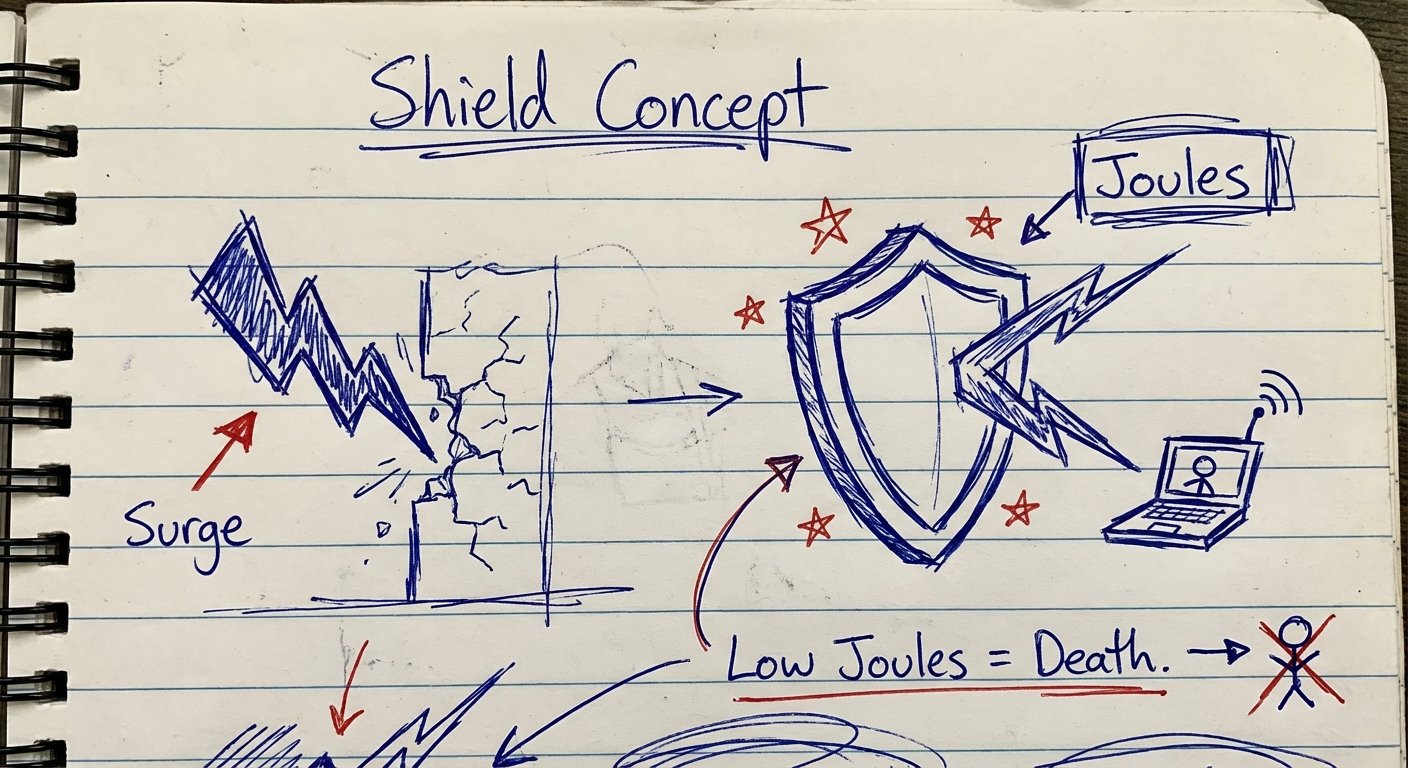
This is the voltage level where the surge protector says “Enough” and cuts the power to save your device. You want this number low. If it’s too high, your laptop fries before the protector activates. Look for clamping voltage under 400V.
2. Joule Rating (The Absorption)
Think of Joules like a sponge. A surge protector absorbs energy. Once the sponge is full, it stops working. A cheap protector has 200 Joules. One lightning strike nearby, and it’s done. You want at least 1,000 Joules for a home setup, but for travel, we compromise slightly for size. Anything under 300 Joules is a toy. Do not buy it.
3. The “Grounding” Light
If the wiring in the wall is not grounded, a surge protector cannot redirect the excess energy anywhere. It needs a path to the earth. Good protectors have an LED that tells you “Not Grounded.” If you see that light, do not plug in. Run on battery.
Top Pick: Anker 727 Charging Station (GaNPrime 100W)
Best For: The professional who needs speed and protection in a slim profile.
Anker is one of the few brands that understands density. Most surge protectors are fat bricks. They take up too much room in a Peak Design backpack. The Anker 727 is flat. It looks like a battery bank, but it is a power strip.
It uses GaN (Gallium Nitride) technology. This means it handles higher power with less heat and less size.
The Specs:
- Max Output: 100W (Enough to fast charge a MacBook Pro 16″)
- Ports: 2 USB-C, 2 USB-A, 2 AC Outlets
- Design: Detachable cord (Critical for packing)
- Protection: ActiveShield 2.0 temperature monitoring
The Logic:
You can plug in your laptop and your phone directly into the USB-C ports. You don’t need to carry your Apple brick. That saves weight. Then, you have two AC outlets for weird stuff like camera battery chargers or a monitor.
It is dual voltage (100V-240V). This is the most important sentence in this article. You can use this in Europe, Asia, and the US. Most surge protectors will explode if you plug them into 220V in Europe. This one will not.
Price: $90 – $100
ROI Assessment: It replaces your laptop charger ($80 value) and protects your gear ($3,000 value). It costs $95. It pays for itself the first time you travel.
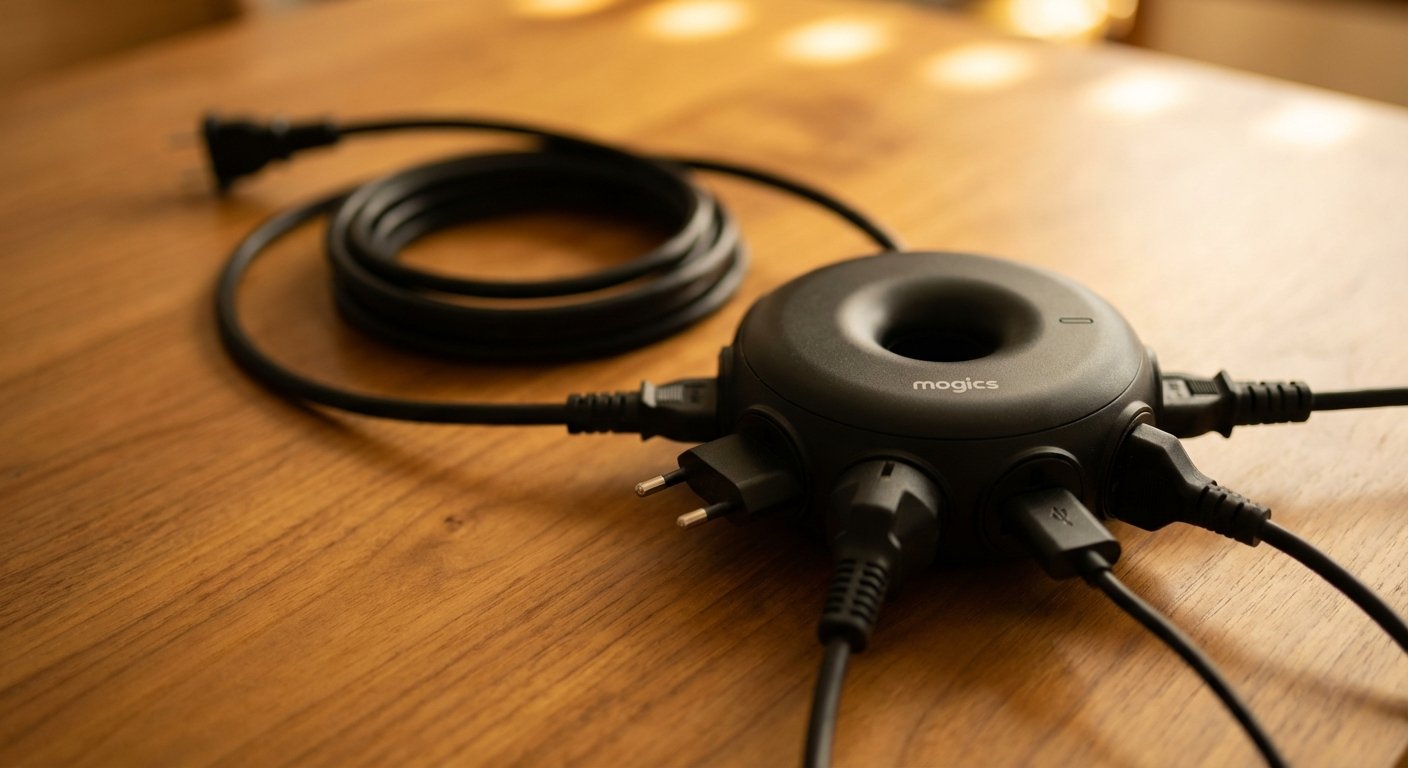
The Compact King: MOGICS Super Bagel
Best For: Minimalists and One-Bag Travelers.
If the Anker 727 is the luxury sedan, the Mogics Super Bagel is the motorcycle. It is small, weird, and incredibly efficient.
The problem with normal power strips is that big plugs block each other. You plug in a MacBook brick, and you cover two outlets. You lose utility.
The Mogics is round. The plugs go in the side. They radiate outward. Nothing blocks anything. It is geometric leverage.
The Specs:
- Outlets: 5 AC sockets (4 Universal, 1 US)
- USB: 2 USB ports
- Fuse: Auto-resetting fuse (This is huge. If it blows, you don’t need to buy a new one. It resets).
- Adapter: Comes with a built-in universal travel adapter (MA1) that fits inside the donut hole.
The Logic:
It solves the “Circle of Death” where you have one outlet in a hotel room and 4 devices. The cord is adjustable (92cm) and winds into the case itself. No cable spaghetti.
Warning: The USB charging is slow compared to Anker (only 10W-12W shared). Do not use the USB ports for your laptop. Use the AC outlets with your fast charger. Use the USB for your AirPods or Kindle.
Price: $45 – $55
The Trap: Voltage vs. Surges (Read This or Lose Money)
Most people are illiterate when it comes to electricity.
There are two threats to your gear:
- Surges: Sudden spikes in power (Lightning, grid switching).
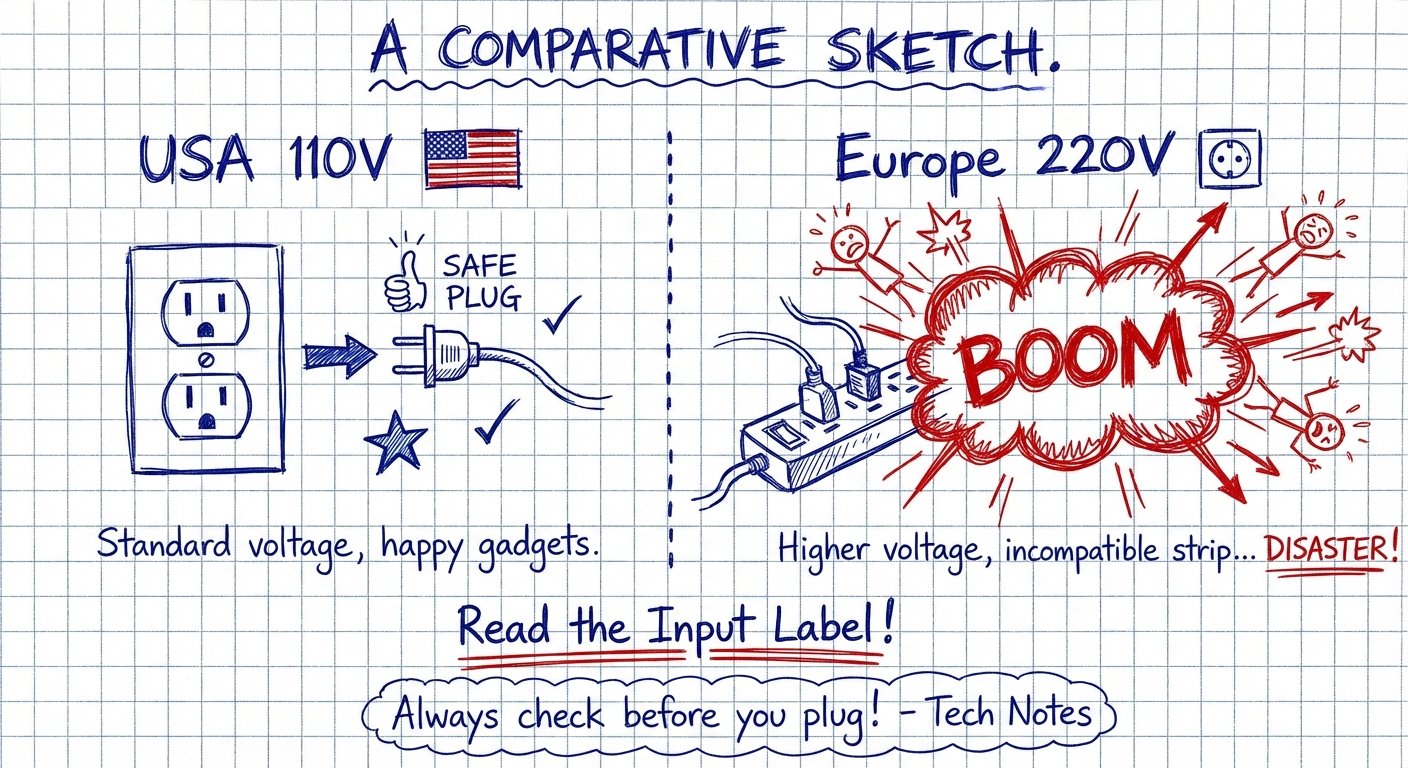
- Voltage Mismatch: Plugging a 110V device into a 220V outlet.
In the US, walls shoot 110V. In Europe and Asia, they shoot 220V.
If you buy a cheap “Surge Protector” from Best Buy that is rated only for 125V, and you take it to Thailand (220V), you will create a firework show. It will smoke. It will melt. It might trip the breaker for the whole floor of the hotel.
The Rule: You must read the back of the device. It must say “Input: 100V – 240V.”
If it does not say 240V, it is trash for travel. Leave it at home.
The Heavy Duty: Anker Prime 6-in-1 Charging Station (140W)
Best For: Video editors, developers, and people carrying two laptops.
Sometimes you need raw power. If you are rendering 4K video in a hotel room, you are burning battery. You cannot afford a slow drip charge.
The Anker Prime is the upgrade to the 727. It is thicker, but it pumps 140W. This supports the MacBook Pro 16″ fast charging standard (PD 3.1).
The Specs:
- Total Output: 140W
- Display: Smart digital display that shows you exactly how many watts each device is pulling.
- Ports: 2 USB-C, 2 USB-A, 2 AC.
- Tech: GaNPrime for heat dissipation.
The Logic:
The digital display seems like a gimmick. It is not. It is data.
When your laptop is charging slow, you usually guess why. Is it the cable? Is it the wall? Is it the brick? The Anker Prime tells you. “You are getting 90W.” or “You are getting 5W.”
It allows you to diagnose the bottleneck immediately. Speed of implementation matters.
Price: $109 – $120
The “Packable” Choice: Anker 615 USB Power Strip
Best For: The casual traveler who just wants safe power.
Maybe you don’t need 140W. Maybe you don’t want to spend $100. You just want something that isn’t dangerous.
The Anker 615 is unique because it has a rubberized silicone cover. You can wrap the cord around it and flip the cover inside out. It becomes a tidy bundle. It doesn’t scratch your laptop in your bag.
The Specs:
- Output: 65W (Good for MacBook Air and normal laptops).
- Ports: 2 USB-C, 1 USB-A, 2 AC.
- Input: 100V-240V (Safe for global travel).
The Logic:
It’s cheaper than the 727. It’s smaller. It still protects against surges. It still grounds your connection. It provides enough power for 90% of users. If you are not rendering 3D models, buy this one.
Price: $60 – $70
Common Failure Points (How to Avoid Being Stupid)
Even with the best gear, user error creates failure. Here is how you screw this up.
1. The Daisy Chain
Do not plug a surge protector into another surge protector. This is called daisy-chaining. It creates resistance. Resistance creates heat. Heat creates fire. Do not do it.
2. The “Universal” Adapter Mistake
You buy a “Universal Travel Adapter” (the boxy thing with sliders). You think it’s a surge protector. It is not.
Most travel adapters have a cheap fuse that blows at 6 amps. If you plug a hair dryer into it, it blows immediately. A surge protector handles high draw. An adapter changes the pin shape. Know the difference.
3. Ignoring the Wattage Cap
Check the max wattage of the Airbnb outlet. In old buildings in Europe or Latin America, a single outlet might only handle 1000W. If you plug in a heater, a laptop, and a monitor, you trip the breaker. The surge protector cannot fix bad building infrastructure. It only protects your gear from the fallout.

Conclusion: Buy the Insurance
Let’s keep this simple.
Option A: You rely on the wiring in a 40-year-old apartment in Bangkok. You save $90. You risk a $2,000 laptop and $3,000 in lost productivity.
Option B: You buy the Anker 727 or the Mogics Bagel. You spend $90. You eliminate the risk.
Smart people take small calculated losses (buying the gear) to prevent catastrophic losses (losing the asset). Stupid people gamble with money they can’t afford to lose.
Don’t be stupid. Buy the gear. Get back to work.