Stop Playing House: Why You Need an LLC Yesterday
Most digital nomads are amateurs.
They treat their business like a hobby. They travel the world, open a laptop, make a few thousand dollars, and think they are “beating the system.”
They aren’t.
They are building a house of cards on a foundation of sand. If you are operating as a sole proprietor, you are personally liable for everything. If someone sues you, they take your savings. They take your crypto. They take your future.
That is stupid risk.
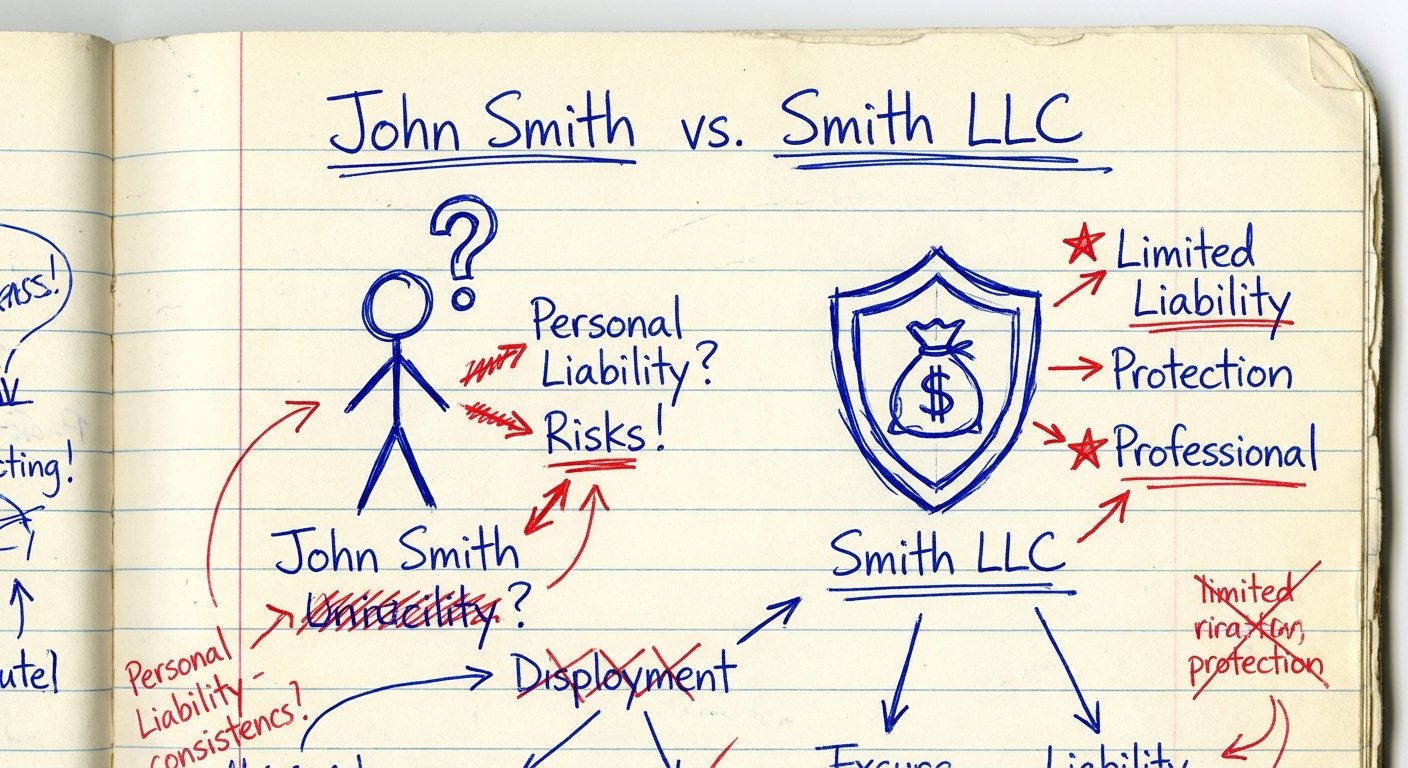
The solution is an LLC (Limited Liability Company). It separates you from the business. It turns “I got sued” into “The company got sued.”
It also saves you money on taxes if you structure it right (S-Corp election, looking at you). But mostly, it makes you legitimate. B2B clients don’t wire $50,000 to “John Smith.” They wire it to “Smith Consulting LLC.”
If you are traveling, you think this is hard. You think you need a physical office. You think you need to be in the US.
You are wrong. I’m going to show you how to set this up. No fluff. Just the steps.
The Two States That Matter: Delaware vs. Wyoming
There are 50 states. Ignore 48 of them.
If you are a remote entrepreneur, you are choosing between Delaware and Wyoming. Here is the logic.
Option A: Delaware
Pick Delaware if you plan to raise venture capital. Investors love Delaware. The courts there understand corporate law better than anywhere else. If you want to be the next Uber, go Delaware.
Option B: Wyoming
Pick Wyoming if you want to keep your money.
For 99% of bootstappers, consultants, and agencies, Wyoming is the answer. Why?
- Anonymity: They don’t list members on the public record. Your competitors won’t know it’s you.
- Cost: Low filing fees. Low annual fees.
- No State Income Tax: If you don’t live there, you don’t pay state tax there.
Do not register the LLC in the state you “used to live in” just because your mom’s house is there. If you register in California and leave, California will still try to tax you $800 a year for the privilege of breathing air they don’t even provide you. Avoid high-tax states.

The “Physical Address” Problem
The IRS requires a physical address. Banks require a physical address. You are in an Airbnb in Mexico City.
You cannot use a PO Box. The government hates PO Boxes.
You need a Virtual Mailbox with a street address. This is a service where mail goes to a warehouse, they scan it, and you read it on your phone.
Do not use your Registered Agent’s address as your “Principal Business Address” unless they explicitly say you can. Banks verify this. If the address is flagged as a commercial registered agent, they freeze your account.
The Fix: Sign up for a premium virtual mailbox service (like Earth Class Mail or Anytime Mailbox). It costs $20-$50 a month. It is a cost of doing business. Pay it.
The Gear You Need to Run This Securely
You are setting up legal entities and handling banking data while jumping between unsecured hotel Wi-Fi networks. This is a security nightmare.
If you get hacked, your LLC doesn’t matter. Your money is gone.
You need hardware that works. Do not run a six-figure business on a $300 Chromebook. It signals to the world (and yourself) that you are cheap.
1. The Workhorse: Apple MacBook Air 15-inch (M3 Chip)
I don’t care if you like Windows. The M3 MacBooks are the highest ROI laptops on the planet right now. The battery lasts 18 hours. You can work a full day without a plug. That is freedom.
The build quality means it survives the backpack. The resale value remains high. It handles video calls, spreadsheets, and design work without fans screaming.
- Current Price Range: $1,000 – $1,300
- Why this model: The M3 chip is fast enough for video editing but efficient enough for long travel days. The 15-inch screen gives you enough real estate to view two documents side-by-side (contracts and bank accounts).

2. The Key to the Castle: YubiKey 5C NFC
Passwords are dead. If you use “Password123” for your business bank account, you deserve to lose your money.
Two-factor authentication (2FA) via SMS is trash. Hackers can SIM-swap you in 10 minutes.
You need a hardware security key. The YubiKey 5C NFC fits in your USB-C port or taps against your phone. Even if a hacker has your password, they can’t login without physically stealing this key from your pocket.
- Current Price Range: $50 – $60
- Why this model: It works with mobile and laptop. It is waterproof and crushproof. It is the cheapest insurance policy you will ever buy.

3. The Vault: SanDisk 2TB Extreme Portable SSD
Cloud storage is great until you are on a plane or in a dead zone. You need local backups of your incorporation documents, your EIN letter, and your client files.
This drive is tiny. It’s faster than your internal hard drive. It has a carabiner loop so you don’t lose it.
- Current Price Range: $140 – $180
- Why this model: It is rugged. You can drop it two meters and it won’t break. Speed is 1050MB/s. Time is money. Don’t wait for file transfers.
The Step-by-Step Execution Plan
Stop researching. Start executing. Here is the workflow.
Step 1: Hire a “Registered Agent”
You need a human in the state (Wyoming/Delaware) to accept legal papers. You cannot do this yourself from Bali. There are services that do this for $50-$100 a year. They scan the mail and email it to you.
Step 2: File the Articles of Organization
Your Registered Agent usually offers a package to do this. Or you can go to the Secretary of State website and do it yourself. It takes 15 minutes. Name your company. Pay the fee ($100 in Wyoming). Done.
Step 3: Get the EIN (Employer Identification Number)
This is the Social Security Number for your business. It is free. Do not pay someone $200 to get this for you.
Go to the IRS website. Apply online. Get the PDF immediately. Save it to your SanDisk SSD.
Note: If you do not have a US Social Security Number (you are a foreigner), this step is harder. You have to fax forms. It takes weeks. But for US citizens, it is instant.
Step 4: The Operating Agreement
This is a document that says who owns the business. Even if it is just you, you need this. Banks ask for it. It proves you are the boss.
The Banking Hurdle
You have the LLC. You have the EIN. Now you need a bank account.
Traditional banks (Chase, Wells Fargo) are dinosaurs. They want you to walk into a branch. You are in Thailand. You cannot walk into a branch.
Use “Fintech” banks. Mercury, Brex, or Relay. They are built for startups. They understand remote work.
Upload your Articles of Organization, EIN, and Passport. They verify you in 2-3 days. They send you a debit card (use your Virtual Mailbox address).
The ROI of Doing It Right
Let’s look at the math.
Cost to setup:
State Fee: ~$100
Registered Agent: ~$50
Virtual Mailbox: ~$30/mo
Total First Year: ~$500.
Cost of doing it wrong:
Personal Liability lawsuit: $100,000+
Missed tax deductions (S-Corp Strategy): $5,000 – $15,000 per year.
Lost contracts because you look like an amateur: Unlimited.
The ROI is infinite. It buys you sleep. It buys you leverage.

Conclusion
Business is a game of friction. If you have to fly back to the US to sign a piece of paper, you have too much friction.
Set up the LLC. Get the right gear. secure your data. Then get back to work.
Nobody cares about your travel blog until it makes money. Build the foundation so you can handle the weight of success when it comes.