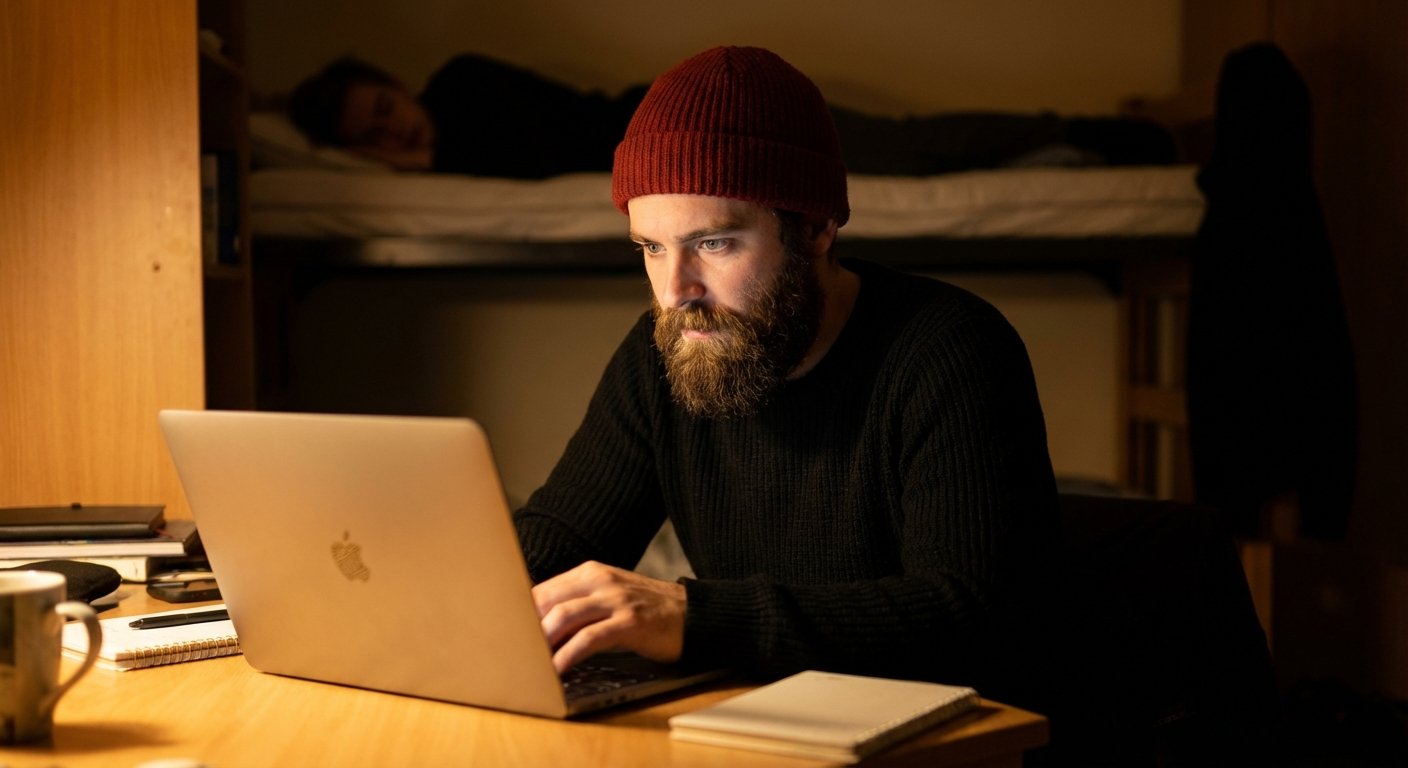
You are in a dorm. It is 2:00 AM.
You have an assignment due. Or you are building a side hustle. Or you are learning a high-income skill.
Your roommate is asleep five feet away.
You have two bad choices.
Choice one: Turn on the overhead light. Your roommate wakes up. You fight. Tension ruins your living situation. You lose focus.
Choice two: Work in the dark. Your screen burns your retinas. You get a tension headache after 45 minutes. You quit early. You fail to put in the reps.
Both choices cost you money. They cost you productivity.
The solution is leverage. You need a tool that lights up your work without lighting up the room.
Most people buy a $10 USB gooseneck light from a gas station. It breaks in a week. It flickers. It destroys your eyes. That is a poor person mindset.
You need professional gear. You need a targeted laptop light.
The ROI of Not Going Blind
Let’s look at the math.
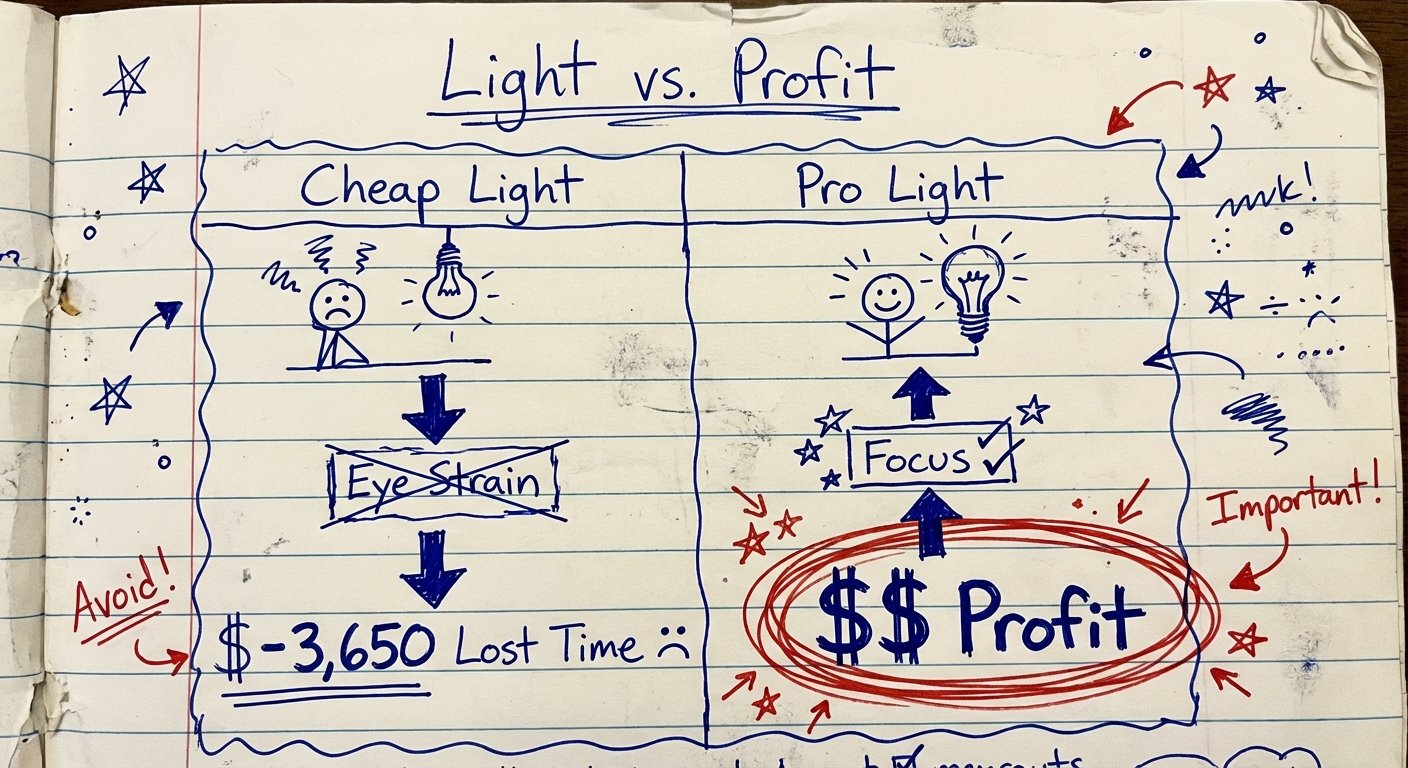
If you buy a cheap light, you save $50 today.
But that cheap light has a low CRI (Color Rendering Index). It flickers invisibly. It causes eye strain.
Eye strain means you stop working 30 minutes earlier every night.
30 minutes x 365 days = 182.5 hours of lost work per year.
If your time is worth even $20 an hour, you just lost $3,650.
You spent $3,650 to save $50.
That is a bad trade.
We are looking for three things in a laptop light:
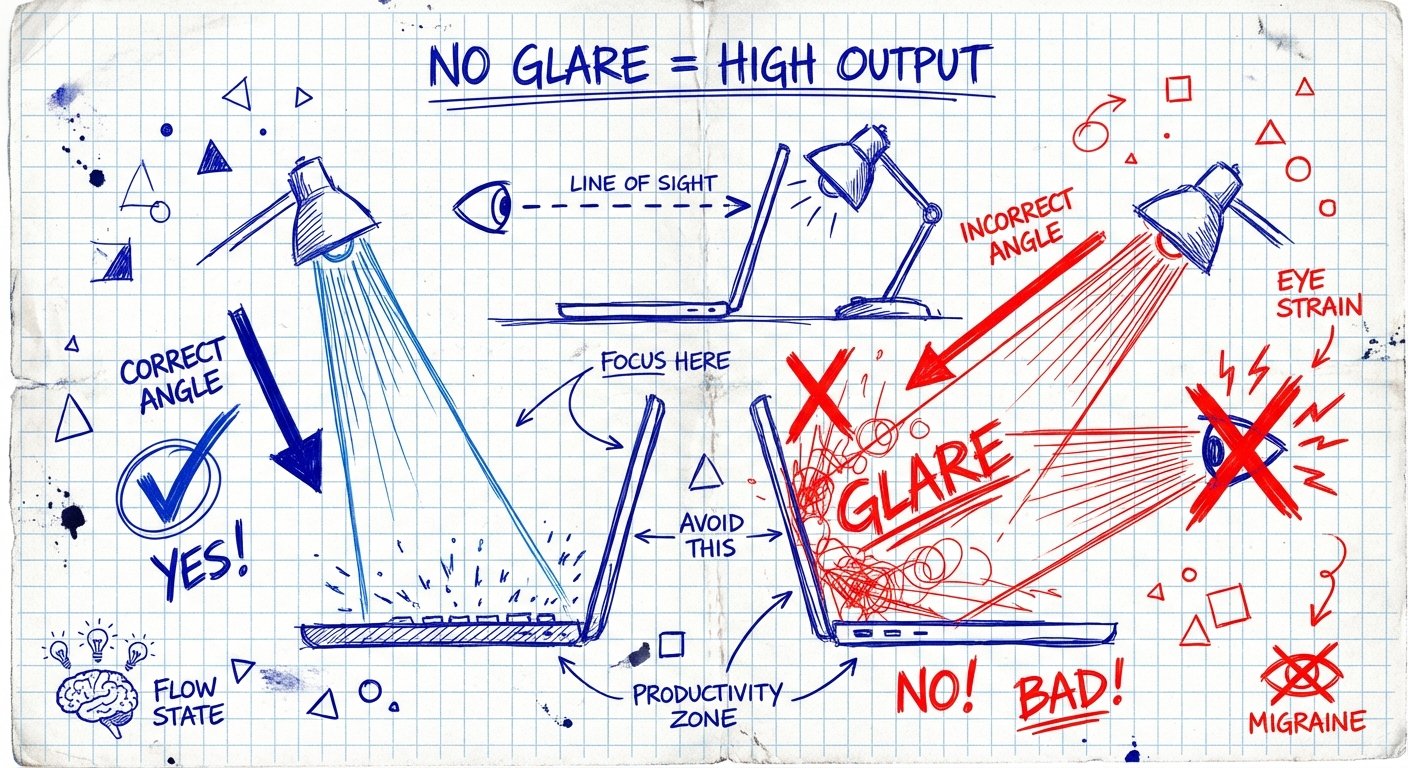
- Asymmetrical Optical Design: This is non-negotiable. The light must hit the keyboard, not the screen. If it hits the screen, you get glare. Glare equals fatigue.
- Color Temperature Control: You need 2700K-3000K (Warm) at night to not wreck your sleep cycle. You need 5000K-6500K (Cool) during the day for focus.
- Portability vs. Stability: It needs to fit on a thin laptop screen without breaking the hinge.
Here are the only lights worth buying.
1. The Gold Standard: BenQ ScreenBar
If you want the best, you buy BenQ. Period.
They invented the monitor light bar category. Everyone else is just copying them.
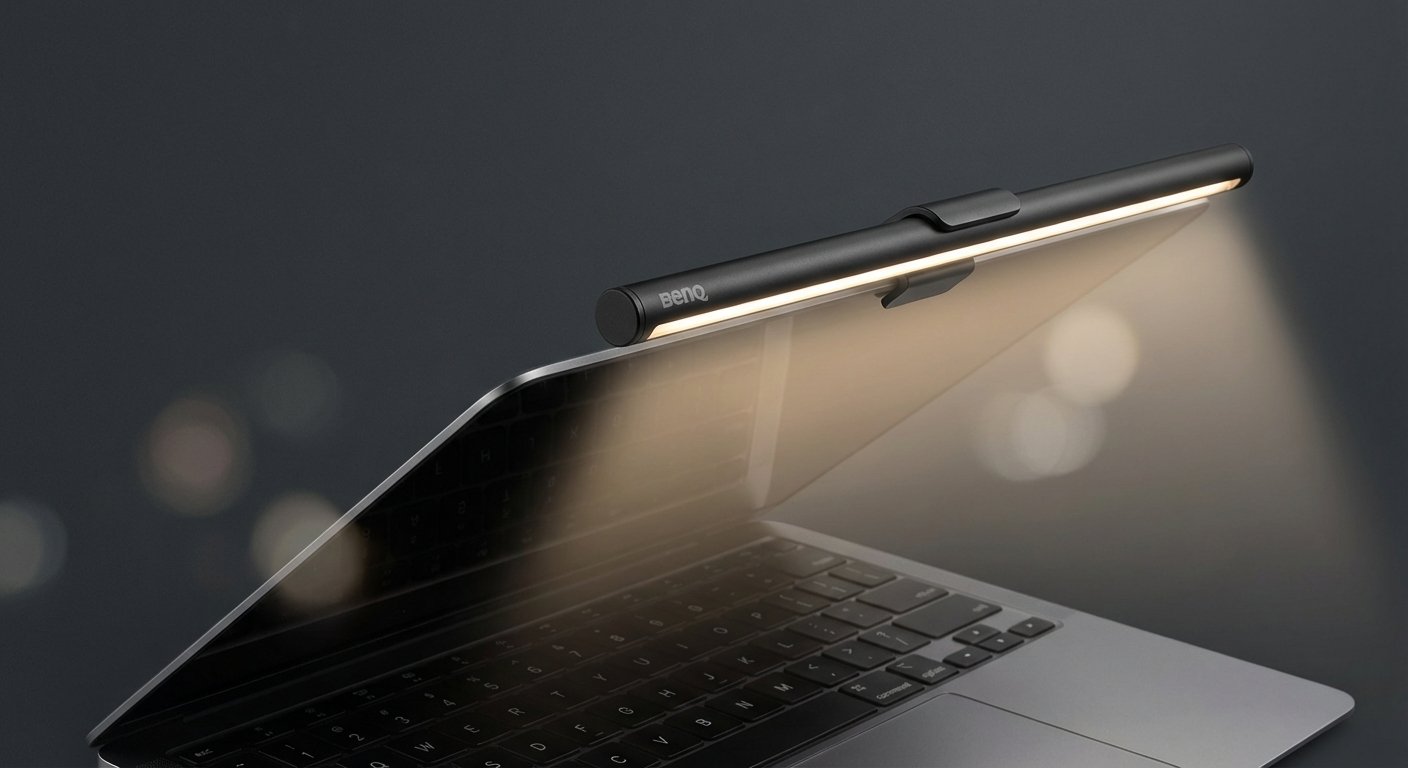
The engineering here is precise. Most lights blast photons everywhere. The BenQ uses an asymmetrical design that directs light strictly downward and inward toward the keys.
Zero glare on the screen. Zero light spill on the wall behind you. Your roommate won’t even know it’s on.
The Specs:
- Weight: Super light. Won’t tip your laptop lid.
- Power: USB-C.
- Features: Auto-dimming sensor fits ambient light.
Is it expensive? Compared to a $10 toy, yes.
But compared to a pair of prescription glasses because you ruined your eyes? It is free.
There are two versions. The “ScreenBar” (original) and the “ScreenBar Halo” (includes a backlight). For a dorm, get the original or the “Lite” laptop version. The backlight on the Halo might be too bright for a shared room.
Estimated Price: $100 – $140
2. The “80% for 50%” Option: Quntis Computer Monitor Lamp
Maybe you don’t have $140. I get it. You are a student.
The Quntis is the best “value” play on the market.
It gives you 80% of the performance of the BenQ for about half the price. It copies the asymmetrical design nicely. It blocks blue light. It has adjustable color temperature.
Where it loses to BenQ:
- The clamp isn’t as premium. It feels a bit cheaper.
- The touch controls can be finicky.
- It doesn’t have the advanced auto-dimming sensors of the high-end BenQ models.
But for pure utility? It works. It puts light on the desk. It keeps light off the screen. It keeps the room dark.
If you are strictly on a budget but refuse to buy trash, buy this.
Estimated Price: $40 – $55
3. The Portable Neck Solution: Glocusent LED Neck Reading Light
This looks ridiculous. I know.
You look like you are about to perform surgery or knit a sweater.
Get over your ego. This tool is a weapon for productivity in shared spaces.
Here is why it wins for dorms:
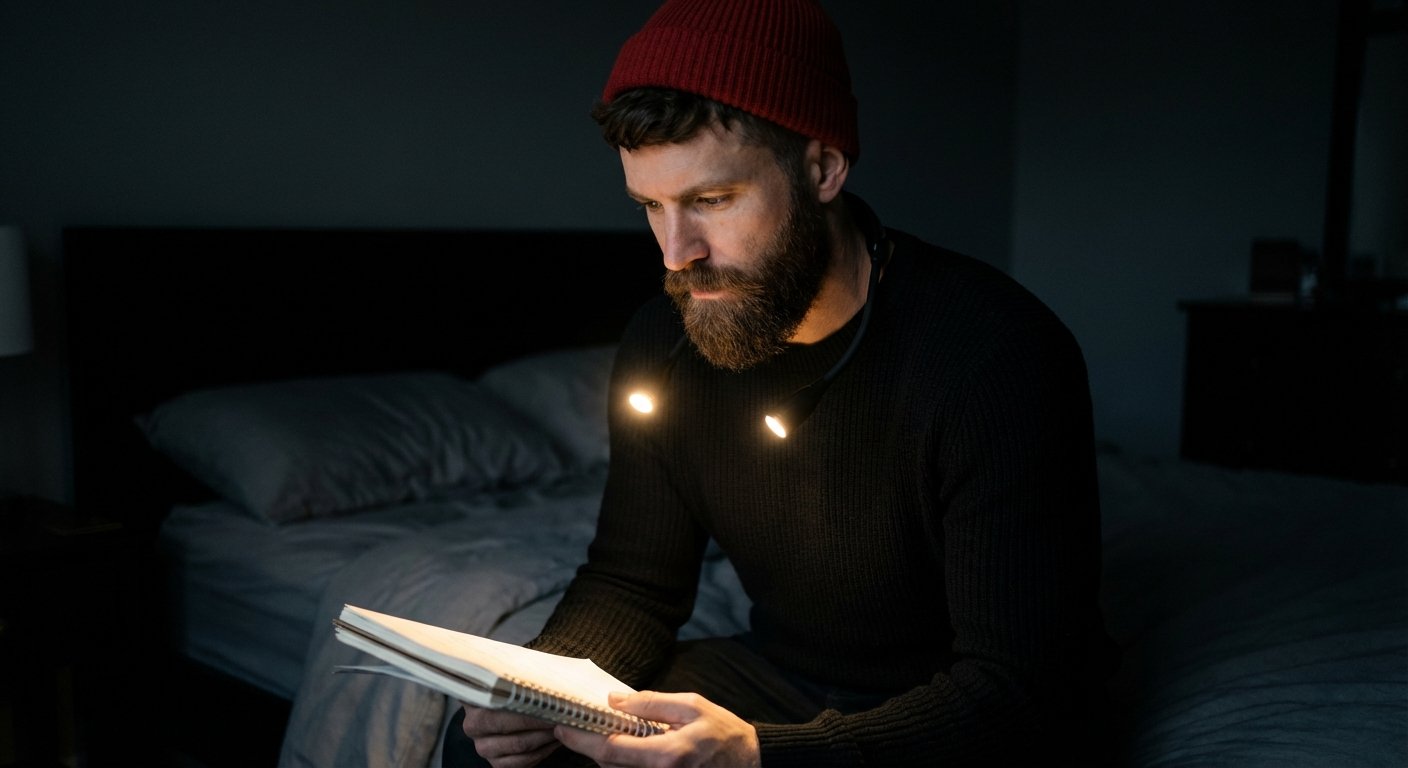
Monitor bars attach to the screen. That creates a fixed light zone. If you lean back, you are in the dark. If you write on a notepad beside your laptop, it might not be lit.
The Glocusent goes around your neck. The light follows you.
It has narrow beam angles. You can point one arm at your keyboard and the other at a textbook. It creates a personal cone of silence (visual silence).
Your roommate on the top bunk won’t see a thing.
The Specs:
- Battery: Rechargeable USB-C (lasts up to 80 hours).
- Modes: Yellow (3000K), Warm White (4000K), Cool White (6000K).
- Ergonomics: You forget you are wearing it.
It is cheap. It is effective. It travels easily in a backpack.
Estimated Price: $20 – $30
4. The Professional Video Light: Logitech Litra Beam
This is a different angle.
Maybe you aren’t just typing. Maybe you are taking Zoom calls. Maybe you are recording content.
A monitor bar (like the BenQ) lights up your hands. It does not light up your face.
If you take a call with a monitor bar on, you look like a ghost. The light comes from above, casting shadows under your eyes. You look tired. Low status.
The Logitech Litra Beam allows you to direct light at your face or your desk.
It is a bar light on a multi-jointed arm. You can position it vertically for video calls. You can position it horizontally over the laptop for typing.
Why it’s good for dorms:
- Soft Diffusion: It uses Logitech’s TrueSoft technology. It isn’t harsh. It won’t blind you.
- Control: You can control it from your desktop app via Bluetooth/USB.
- Versatility: It serves two purposes. Desk light and webcam light.
One less piece of gear to buy.
Estimated Price: $90 – $110
The “Do Not Buy” List
To make good decisions, you must invert the problem. How do you guarantee failure?
Buy a generic “USB Flex Lamp” with 4 LEDs.
These are garbage.
They plug directly into your USB port. They possess no weight support. Over time, the leverage of the lamp bends your USB port internals. You ruin a $2,000 MacBook to use a $4 light.
The light is uncontrolled. It is a spotlight. It creates a “hotspot” on your keyboard where the ‘G’ and ‘H’ keys are blindingly white, and the rest of the keyboard is dark.
This forces your pupils to constantly dilate and constrict. This causes headaches. This kills work capacity.
Do not buy them.
Dorm Room Logistics: The Setup
Buying the light is step one. Using it correctly is step two.
If you buy the BenQ or Quntis, you need to calibrate the angle.
Sit in your chair. Turn the light on. Rotate the bar until the light cutoff line is exactly at the bottom bezel of your screen.
If you see LEDs, you rotated it too far back. You will blind yourself.
If the light hits the screen glass, you rotated it too far forward. You will get glare.
The Color Temp Rule:
- Before 6:00 PM: Use Cool White (5000K+). This mimics daylight. It suppresses melatonin. It keeps you alert.
- After 6:00 PM: Switch to Warm White (2700K – 3000K). This mimics sunset. It allows your brain to wind down while you work.
If you blast 6000K blue light into your eyes at 2 AM, you will finish your assignment, but you will stare at the ceiling for three hours trying to sleep. That ruins your next day. The ROI is negative.
Conclusion
Stop working in the dark.
It is not “grinding.” It is stupid.
You are damaging your eyes. You are limiting your work hours. You are creating friction with the person you live with.
Remove the friction.
If you have the cash, get the BenQ ScreenBar. It is a buy-once, cry-once asset.
If you need to move around or read physical books, get the Glocusent Neck Light.
Make the purchase. Fix the environment. Do the work.