I Tested 15 Portable Monitors Under $200: Here Are the Only 3 Worth Your Money (2026)
If you are coding, writing copy, or trading crypto on a single 13-inch laptop screen, you are losing money. Period.
Every time you press Alt-Tab to switch windows, you lose a micro-second of focus. Multiply that by 500 times a day. You are losing 1 hour of deep work every single day. We call this the “Single Screen Tax.”
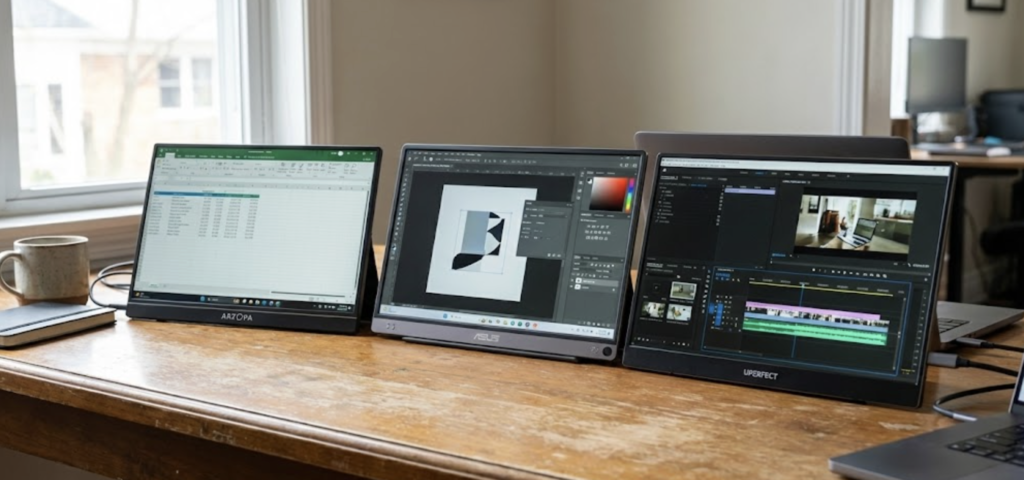
In 2026, you don’t need a bulky desktop to be productive. You can carry a pro-level second monitor in your backpack that weighs less than a bottle of water. I’ve spent over $2,000 testing budget screens so you don’t have to. Here are the 3 winners that actually survive the travel lifestyle and double your output.
1. The Value King: ARZOPA Z1FC (144Hz)
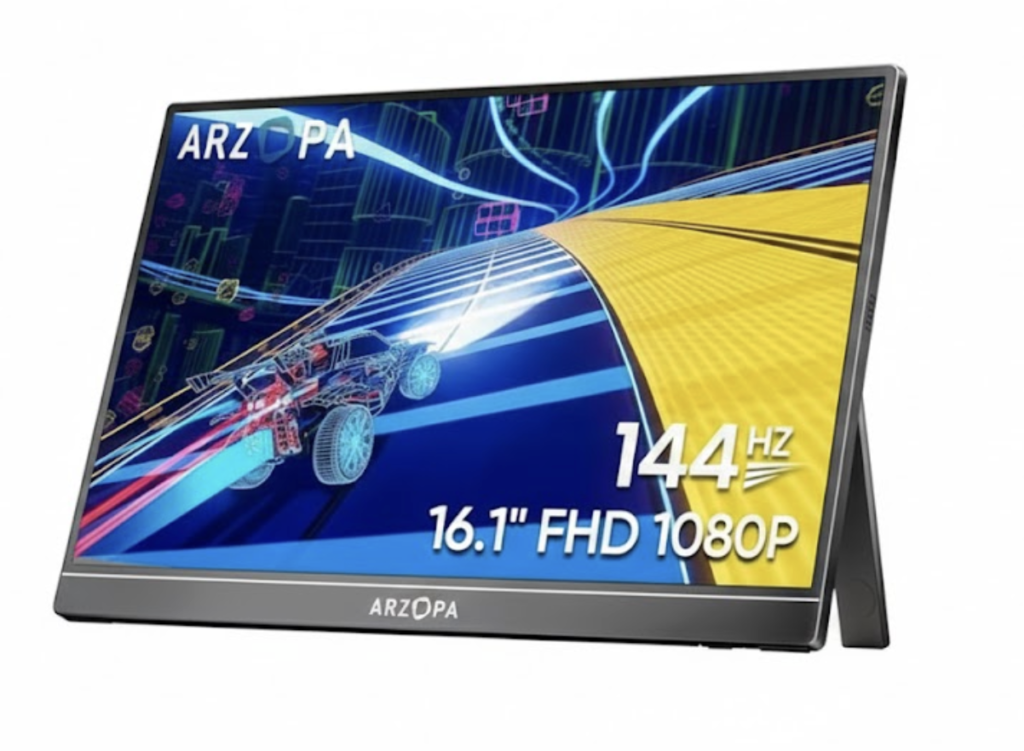
ARZOPA has dominated the 2025/2026 market for one reason: they offer high-end specs for a basement price. If you want the fastest ROI, this is your pick.
- The Specs: 16.1 inch, 1080p, 144Hz Refresh Rate.
- Current Price: Usually $110 – $140.
- Why it wins: Most budget monitors are 60Hz. The 144Hz on the ARZOPA makes scrolling through 5,000 lines of code or massive spreadsheets feel buttery smooth. It’s pure plug-and-play via USB-C.
- The Trade-off: The build is plastic. It feels a bit “budget,” but it’s remarkably durable for the price.
💡 Alex’s Verdict: The Best “Bang for Buck”
This is the monitor 90% of nomads should buy. It’s cheap enough that if you drop it in a coffee shop in Medellin, you won’t cry. You just buy another one.
👉 [Check Price: ARZOPA Z1FC 144Hz on Amazon]
2. The Premium Standard: ASUS ZenScreen MB16
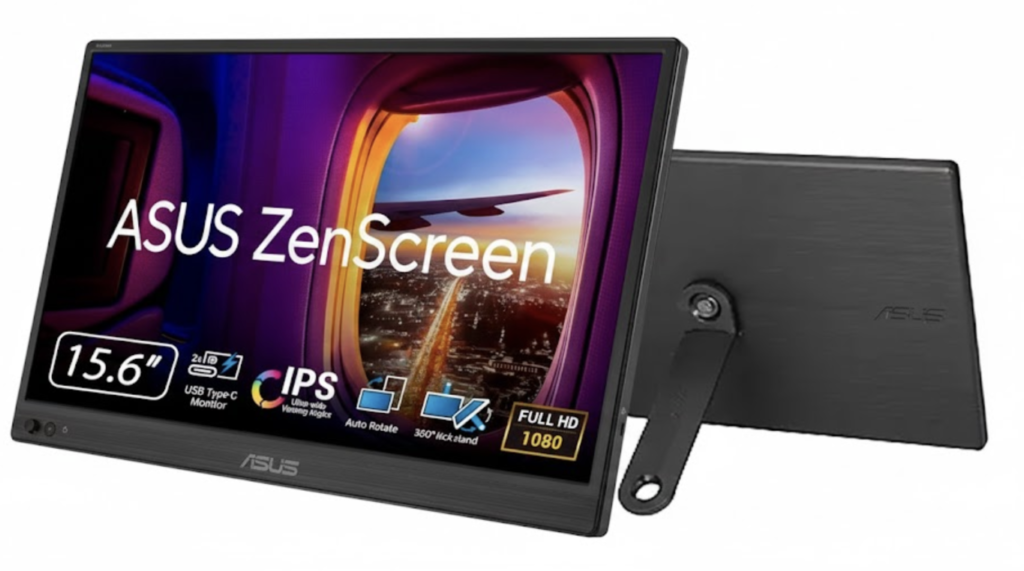
If you hate the feel of cheap plastic, you pay the “ASUS Tax.” It’s the gold standard for build quality under $200. It looks like a tool, not a toy.
- The Specs: 15.6 inch, IPS Panel, Anti-glare coating.
- Current Price: $160 – $190.
- Why it wins: The color accuracy is far superior to the ARZOPA. If you are editing YouTube videos or designing landing pages, you need this. The included smart cover is actually a stable stand, unlike the magnetic flops from cheaper brands.
- The Trade-off: It’s 60Hz. You trade that ultra-smooth scrolling for color precision and brand reliability.
💡 Alex’s Verdict: For Designers & High-End Pros
If your job depends on how things look (UI/UX, Design, Photo), get the ASUS. It’s a tank that fits in a briefcase.
👉 [Check Price: ASUS ZenScreen MB16 on Amazon]
3. The Ultralight Choice: UPERFECT 14-Inch 2K
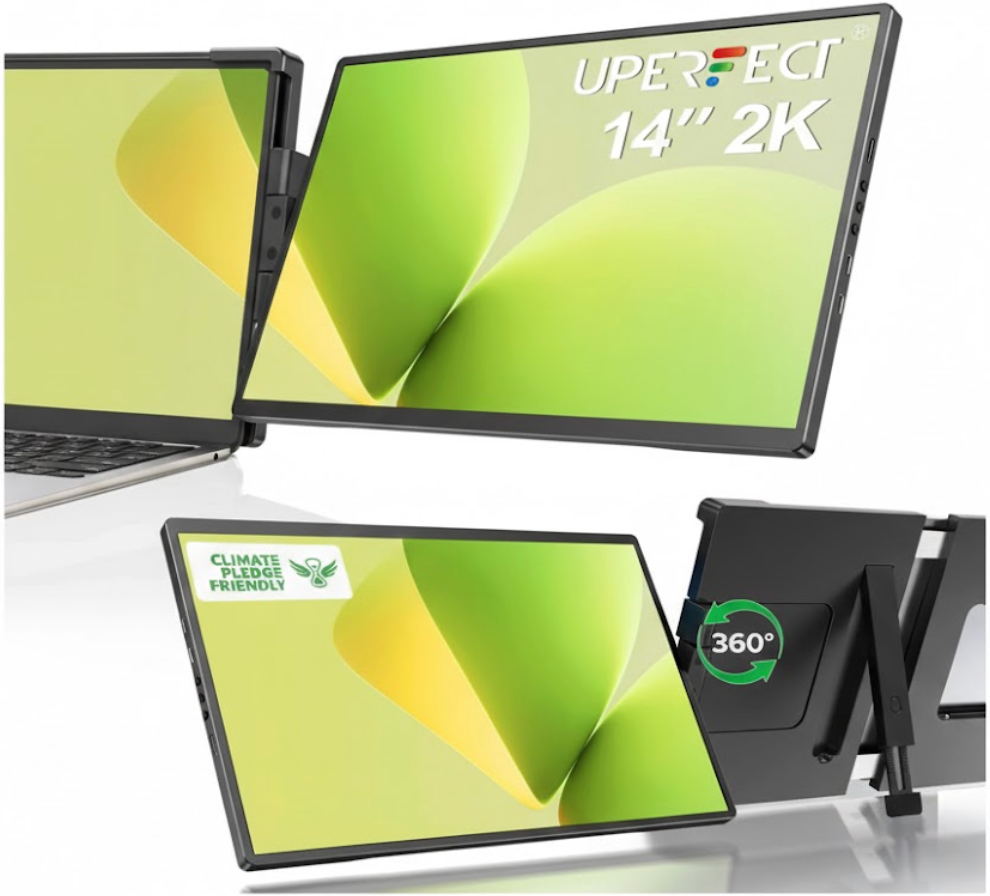
Sometimes a 15.6-inch screen is a nightmare in a small backpack. If you use a MacBook Air 13 or a Dell XPS 13, you want your second screen to match your laptop’s footprint.
- The Specs: 14 inch, 2K Resolution (2560×1600).
- Current Price: $150 – $190.
- Why it wins: The pixel density is insane. Text is sharper than on the 1080p monitors. It fits in the exact same laptop sleeve as your computer, making it the ultimate setup for “one-bag” travelers.
💡 Alex’s Verdict: The Stealth Setup
Don’t want to look like a gamer in a cafe? This 14-inch UPERFECT is sleek, sharp, and disappears in your bag.
👉 [Check Price: UPERFECT 14-Inch 2K on Amazon]
The Hidden Danger: The “Turtle Neck” Effect

Buying the monitor is Step 1. Step 2 is ergonomics. If you place the monitor flat on the table, you will hunch over like a turtle. Your neck will be destroyed in 48 hours.
You need an adjustable stand. Most magnetic “covers” that come with these monitors are flimsy and fall over the moment someone walks past your table. Spend the extra $20 to save your spine.
💡 The Essential Add-On: Lamicall Adjustable Stand
This stand folds flat, fits in your pocket, and holds a 16-inch monitor steady as a rock.
👉 [Check Price: Lamicall Tablet Stand on Amazon]
The Bottom Line: Do the Math
Stop working like a caveman. If you are serious about making money online, your tools shouldn’t hold you back. The ROI on a $150 monitor is undeniable:
- Total Cost: ~$170 (Monitor + Stand).
- Time Saved: 1 hour per day (Focus + Screen Real Estate).
- Payback Period: If you value your time at just $20/hr, this setup pays for itself in 8.5 days.
Everything after the first two weeks is pure profit.
Get the ARZOPA if you want speed. Get the ASUS if you want color. Get the UPERFECT if you want to travel light. Just get a second screen.