The “Real Designer” Lie Is Keeping You Broke.
If you go to a design school, they will tell you: “Canva is for amateurs. Pros use Adobe.” In 2026, that is a lie.
“Pros” spend 4 hours making one Instagram post in Photoshop. “Smart Freelancers” make the same post in 15 minutes in Canva and charge the same price.
Clients do not care about “layer masks” or “vector curves.” They care about Speed and Results. If you can deliver a high-converting image in 20 minutes, you win.
Stop trying to become a “Graphic Designer” with a degree. Become a “Visual Asset Creator” using Canva. Here are the 3 specific niches where Canva is not just “accepted”—it is preferred.
The Mistake: Selling “Art” Instead of “Assets”
Most beginners try to sell “Logos” on Fiverr for $5. That is a race to the bottom. You are competing with AI logo generators. You will lose.
The Fix: Sell assets that need human psychology and frequent updates. AI makes art. Humans make decisions. Focus on these three high-income paths.
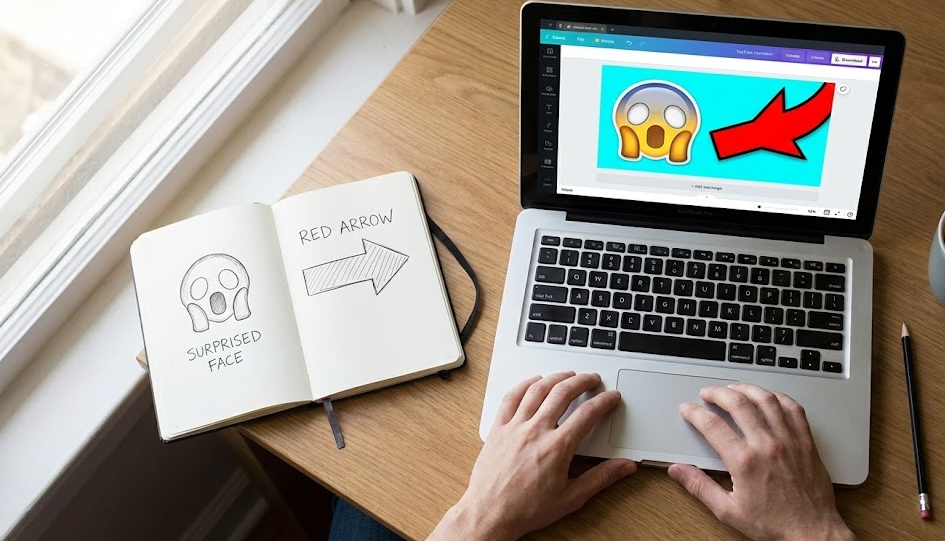
Niche 1: The “Click” Architect (YouTube Thumbnails)
This is the highest ROI design job in the world right now. MrBeast pays $10,000 for a thumbnail. Why? Because a bad thumbnail costs him millions in views. You don’t need to be that good. You just need to be better than the average creator.
- The Job: Create bright, high-contrast thumbnails that make people click.
- Why Canva Wins: It has background removers, bold fonts, and stock elements built-in. You can iterate 5 versions in 10 minutes.
- The Pay: $20 – $50 per thumbnail. (Do 10 a week = $500/week on the side).
💡 Alex’s Pick: The Tool That Pays for Itself
You cannot do this with the free version. You need the “Background Remover” and premium assets to work fast. 👉 [Link: Canva Pro (30-Day Free Trial)] (The time you save on background removal alone is worth the monthly subscription.)
Niche 2: The “Feed” Manager (Social Media Templates)
Businesses are tired of hiring expensive designers for every single Instagram Story. They want Templates. They want to be able to change the text themselves later.
- The Job: You design a “Brand Kit” (5 Instagram posts, 5 Stories, 3 LinkedIn headers) in Canva.
- The Deliverable: You send them the “Canva Editable Link.”
- Why Canva Wins: Photoshop files are useless to a business owner who doesn’t have Photoshop. Canva links are universal.
- The Pay: $200 – $500 per Brand Kit.
💡 Alex’s Pick: Where to Sell Your Templates
Don’t cold email. Go where the demand is. 👉 [Link: Fiverr (Create a Gig for ‘Editable Canva Templates’)] (Tip: Search for ‘Instagram Carousel’ gigs to see what is selling best.)
Niche 3: The “Conversion” Designer (Amazon & Pinterest)
This is the boring niche that pays the most. Amazon sellers need product images that explain features (e.g., “Non-Slip,” “Waterproof”). Pinterest bloggers need “Long Pins” with headlines.
- The Job: taking a boring product photo and adding text/icons to make it sellable.
- Why Canva Wins: It has massive libraries of icons (arrows, checks, badges) that are perfect for e-commerce.
- The Pay: $100+ per product listing.

The Action Plan
Stop watching Photoshop tutorials.
- Get Canva Pro. (It is your overhead cost. It is $12. Just pay it).
- Pick ONE Niche: Thumbnails, Templates, or E-commerce.
- Build a Portfolio: Create 5 fake thumbnails or 1 fake brand kit.
- Pitch: “I will make your first design for free. If you like it, hire me.”
The market rewards Speed. Canva is Speed. Go be fast.