The Math of Being Cheap
You spend $2,000 on a MacBook Pro.
You spend $1,200 on an iPhone.
You spend $400 on noise-canceling headphones.
Then you fly to Europe and plug all of it into a $5 plastic adapter you bought at a gas station.
This is stupid.
It is bad math. It is bad logic. And it is a fire hazard.
Most people look at a travel adapter as a commodity. They think a hole is a hole. If the plug fits, electricity flows. If electricity flows, the battery charges.
That is false.
The gap between a $5 generic adapter and a $50 engineered adapter isn’t marketing. It’s the difference between charging your device and frying your motherboard. It is the difference between a working trip and a hotel fire evacuation.
I am going to break down the mechanics of why cheap adapters fail. I will show you the ROI of buying proper gear. And I will tell you exactly which ones to buy so you never have to think about this again.

The Anatomy of a Fire Hazard
Let’s look inside the cheap stuff.
You know the ones. They are usually white. They feel light. They rattle when you shake them.
Here is why they cost $5.
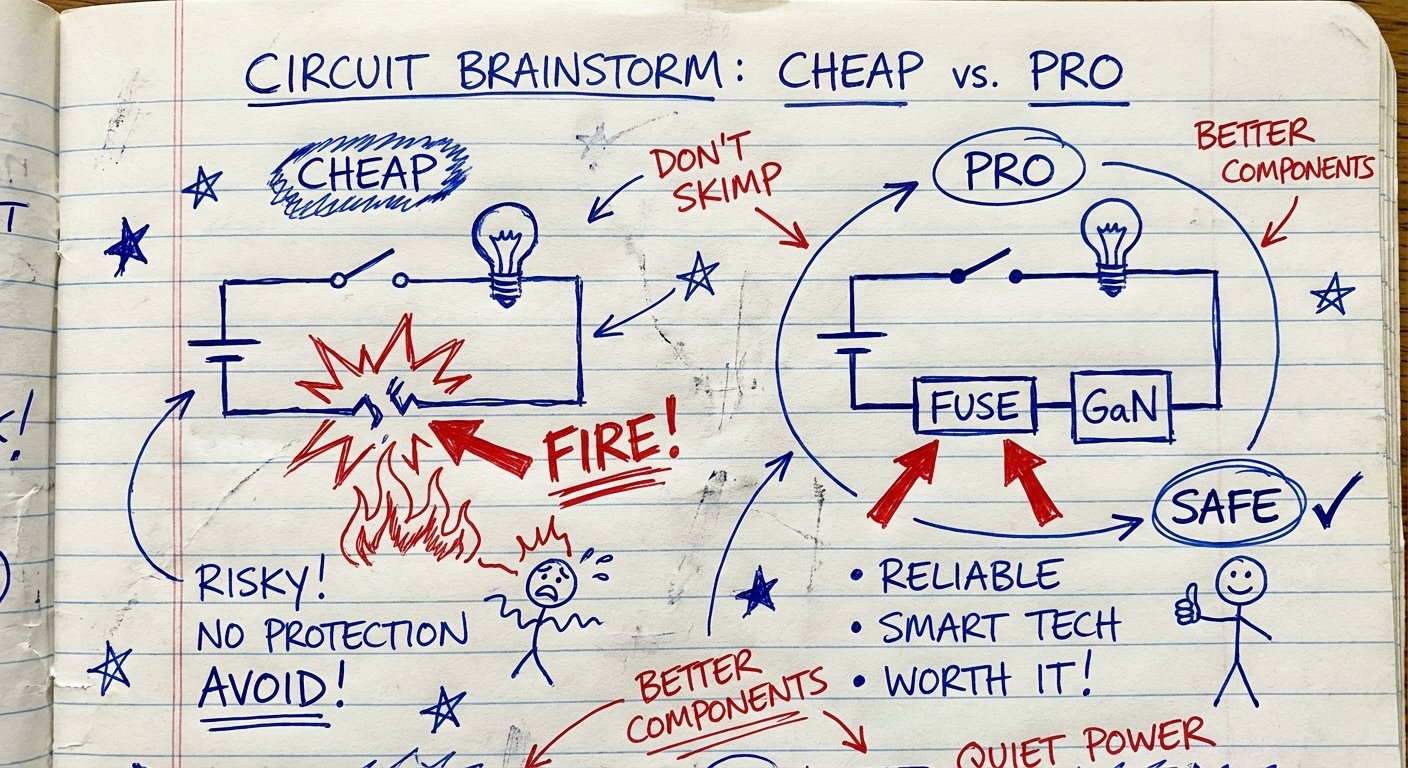
1. No Fuse Protection
This is the big one.
A proper electrical circuit needs a fail-safe. If the current gets too high—say, a power surge in a developing country—something needs to break the circuit.
Good adapters have fuses. If the power spikes, the fuse blows. The adapter dies. Your laptop lives.
Cheap adapters have zero protection. They are just metal strips connecting the wall to your device. If the power spikes, that energy goes straight into your $2,000 laptop power brick. Or worse, the plastic melts.
2. Low-Grade Plastics (ABS vs. PC)
Cheap manufacturers use standard ABS plastic. It is cheap. It is easy to mold. It also melts at relatively low temperatures.
High-end adapters use Polycarbonate (PC). Specifically, fire-retardant PC.
If a short circuit happens inside a $5 adapter, the casing catches fire. It drips flaming plastic onto the carpet.
If a short circuit happens inside a $50 adapter, the plastic chars but does not sustain a flame. It self-extinguishes.
You are paying for the insurance of not burning down an Airbnb.
3. The Loose Contact Problem
Have you ever plugged a charger into an adapter and felt it wiggle?
That wiggle creates heat.
Electricity jumps across gaps. This is called arcing. Arcing creates massive heat spikes. When the internal metal contacts are thin, bendy sheets of copper (standard in cheap units), they loosen over time.
Loose contact = Resistance.
Resistance = Heat.
Heat + Cheap Plastic = Fire.
The Wattage Lie: Adapter vs. Converter
This is where smart people make expensive mistakes.
There are two things to understand: Shape and Voltage.
An Adapter changes the shape of the plug. It does NOT change the voltage.
A Converter changes the voltage (e.g., 220V down to 110V).
Most modern electronics (Apple products, cameras) are “Dual Voltage.” They can handle 110V to 240V. They handle the conversion internally. You only need an adapter.
But simple heating devices—hair dryers, straighteners, cheap electric kettles—are usually single voltage.
Here is the scenario:
You take a US hair dryer (110V). You fly to London (240V). You plug it into a cheap $5 adapter.
You turn it on.
The hair dryer tries to pull 1500 Watts. But because the voltage is double what the dryer expects, the motor spins at suicidal speeds and the heating element glows white hot.
The $5 adapter is rated for maybe 500 Watts max.
It melts instantly. The hair dryer explodes. The breaker trips.
High-quality adapters have “Auto-Resetting Fuses” or strict wattage cut-offs. They sense the overload and cut the power before the damage happens. They save you from your own stupidity.
The New Standard: GaN Technology
If you are buying an adapter today, it must have GaN.
GaN stands for Gallium Nitride. It is a material that conducts electricity more efficiently than silicon.
What does this mean for you?
- Smaller Size: Components can be packed tighter without overheating.
- Higher Power: You can push 65W, 70W, or even 100W through a tiny brick.
- Cooler Operation: Less energy is lost as heat.
Old adapters were just pass-throughs. You still had to plug your Apple brick into the adapter.
New GaN adapters replace your bricks. They have high-speed USB-C ports built right in. You plug the adapter into the wall, and run a USB-C cable straight to your laptop.
You carry less weight. You have fewer points of failure.
The ROI of “Buying It Nice”
Let’s run the numbers.
Option A: The Cheap Route
- Cost of Adapter: $5
- Cost of Laptop Charger Brick (that you still have to carry): $79
- Cost of Phone Block: $20
- Total Weight: Heavy.
- Total Ports: 1 (You can only charge one thing at a time).
- Risk: High.
Option B: The Pro Route (High-End GaN Adapter)
- Cost of Adapter: $40 – $60
- Laptop Brick: Leave at home ($0).
- Phone Block: Leave at home ($0).
- Total Weight: Light.
- Total Ports: 4 to 6 (Charge laptop, phone, watch, and headphones simultaneously).
- Risk: Near Zero.
The high-end adapter actually costs less when you factor in the chargers you no longer need to buy or carry.
The Winners: What to Actually Buy
I have tested dozens of these. most are garbage. Here are the three that actually work. They have fuses, they use GaN, and they don’t melt.
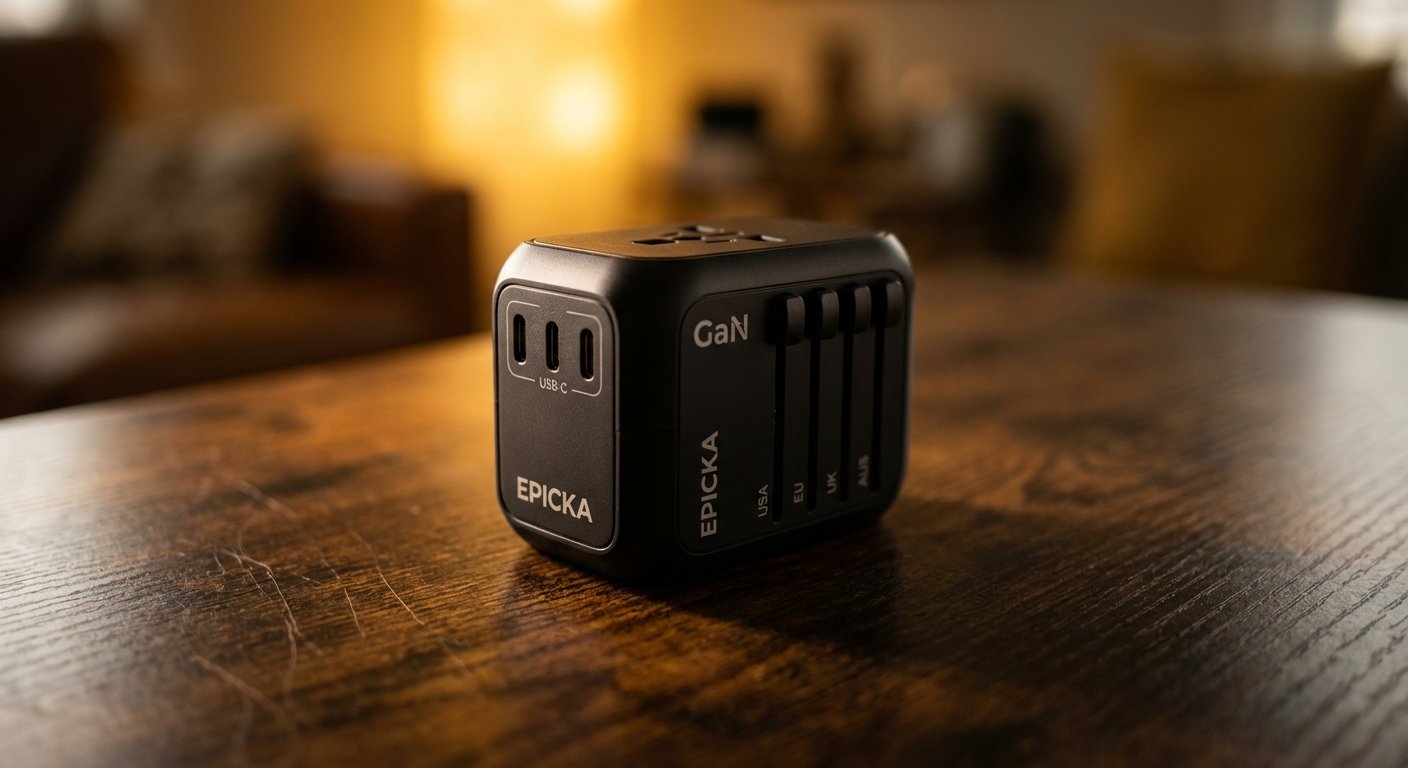
1. EPICKA Universal Travel Adapter (TA-105 / TG-105)
This is the gold standard for most travelers. It is built like a tank.
It uses an auto-resetting fuse. If you overload it, it clicks off. You wait a minute, it resets. You don’t have to hunt for a replacement fuse in a foreign pharmacy.
The TG-105 model offers 75W GaN charging. That is enough to fast-charge a MacBook Pro and an iPhone at the same time.
Specs:
- Max Power: 880W at 110V / 1840W at 230V
- USB Output: 75W GaN
- Safety: Auto-resetting fuse, Safety Shutters
- Price Estimate: $30 – $45
2. Zendure Passport III
If you have heavy power needs, get this. It looks cool, but the specs are the real draw.
It pushes 65W PD (Power Delivery). It has a unique “auto-resetting fuse” made of aerospace bimetal strips. It is arguably the safest adapter on the market.
It is expensive. It is worth it.
Specs:
- Max Power: High load capacity
- USB Output: 65W PD
- Design: Metallic finish, very compact
- Price Estimate: $50 – $70
3. MOGICS Super Bagel
This is for the minimalist. It isn’t a brick; it’s a ring.
The problem with brick adapters is that they block adjacent outlets. The Bagel solves this. It unrolls into a strip or curls into a circle. You can plug in bulky plugs without them blocking each other.
It comes with a tiny universal adapter insert. It is clever engineering.
Specs:
- Form Factor: Circular power strip
- Ports: 5 AC sockets, 2 USB
- Price Estimate: $45 – $60

How to Spot a Fake
You are on Amazon. You see something that looks exactly like the EPICKA, but it is $12. The brand name is “XGYUZO” or some random collection of letters.
Do not buy it.
Here is the scam: Factories in China will sell the “shells” of these adapters to anyone. The good companies fill the shell with copper, quality fuses, and GaN chips.
The bad companies fill the shell with scrap metal and glue.
Red Flags:
- Weight: If it feels hollow, it is dangerous. Quality components are heavy.
- USB Specs: If it claims “Fast Charging” but only lists “2.4A” output, it is lying. Real fast charging is listed in Watts (PD 30W, 65W, etc.).
- Certification Marks: Look for CE, FCC, and RoHS markings stamped into the plastic, not just on a sticker.
The Checklist: Before You Click Buy
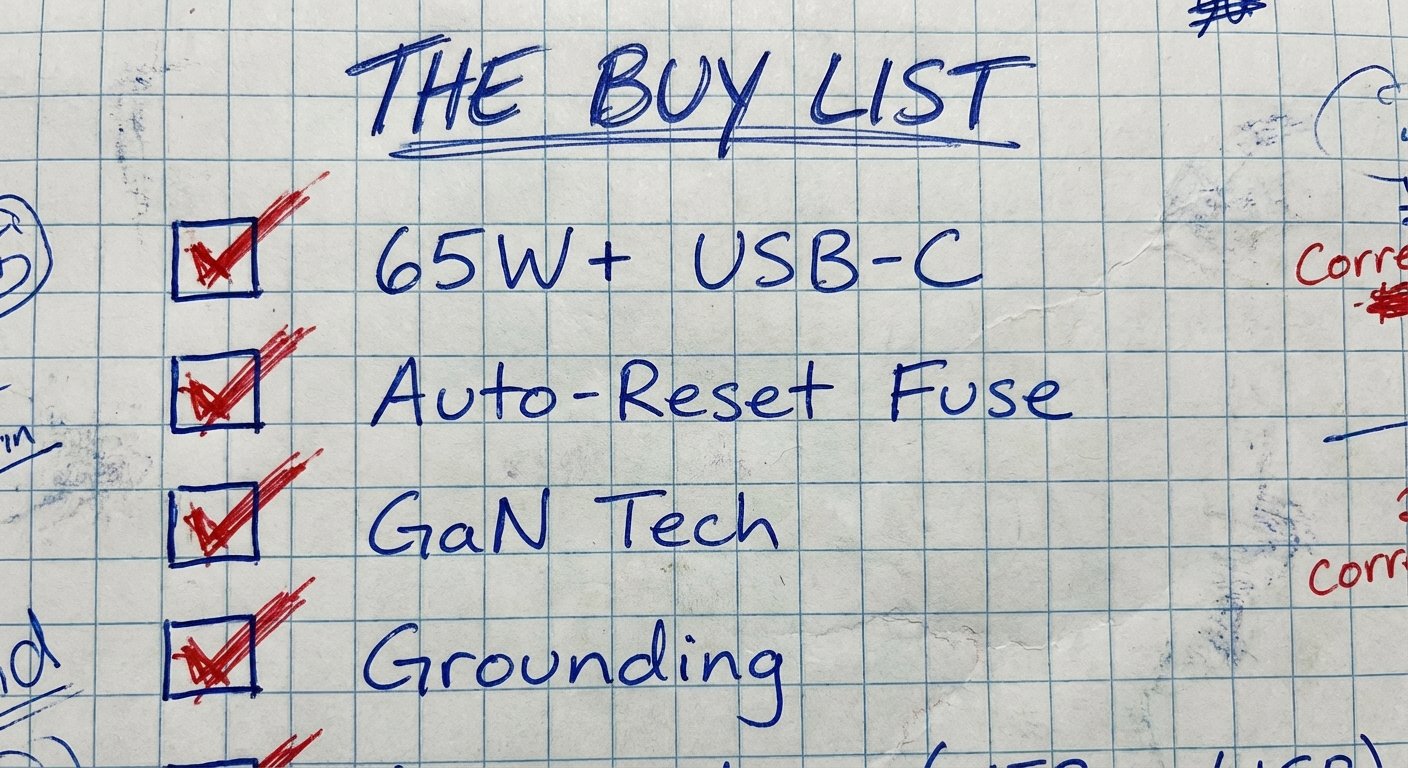
Do not overthink this. Just follow this checklist. If the product meets these four criteria, buy it. If it misses one, skip it.
1. Wattage: Must be at least 65W USB-C output (so you can ditch your laptop charger).
2. Fuse: Must state “Auto-Resetting Fuse” (10A or higher).
3. Tech: Must state “GaN” (Gallium Nitride).
4. Grounding: Look for the third pin functionality (even if it’s plastic/dummy on some, it ensures a tight fit for your cables).
Conclusion
Travel is expensive. Your time is expensive. Your gear is expensive.
A power outage in a hotel room because you tripped the breaker costs you time.
A fried laptop motherboard costs you money.
A melted adapter smells terrible and ruins your day.
There is no upside to saving $20 on an adapter. The risk-to-reward ratio is nonexistent.
Get the EPICKA or the Zendure. Throw your old gas station adapters in the trash. Never worry about power again.
Simple.